
Sponsored
OP
OP
jasonstephens37221

jasonstephens37221

Big Bend
Well-Known Member
First Name
Jason
Joined
Sep 11, 2023
Threads
2
Messages
48
Reaction score
105
Location
Hendersonville, TN
Vehicle(s)
2023 Bronco
Your Bronco Model
Big Bend
Question. I have the 200.4 and 500.1 setup with plugnplay harnesses. When I was doing the Key 500.1 setup (playing the sweep and gain matching tracks), the sound was blasting through my main speakers. But the directions say that no sound should be audible during these steps. What am I doing wrong?
For me it had to be extremely quite outside, like no birds chirping, etc. I played the white noise and from the outside of the vehicle I could hear the sound going around until it completed. Not sure, maybe someone on here has a better explanation and can help
Sponsored


SkyKing

Wildtrak
Well-Known Member
First Name
Jeff
Joined
Feb 5, 2021
Threads
29
Messages
656
Reaction score
1,468
Location
Boston, MA
Vehicle(s)
'21 CG Wildtrak, E.R.A. 1966 Cobra 427 S/C replica
Your Bronco Model
Wildtrak
Clubs
 
Doers anyone know if... while running the 500.1 Key gain and DSP algorithm processes, is it okay to unplug the main speakers from the 200.4?

I think (and hope) the answer would be yes. (And yes I know that you unplug the 500.1 when doing the 200.4 setup).

I ask this question because when I'm running the 500.1 setup according to directions (on volume 23), the gain matching and DSP algorithm audio tracks are blasting through my main speakers so loud that I worry about damaging things (23 is my max volume for the 200.4 setup, and I'm probably pushing it).

The Kicker manual says that no audio comes from the sub during 500.1 gain matching. I have seen videos of people setting this up and it was silent. I am guessing they simply disconnected the speaker harness from the 200.4. R i g h t . . . ?

And if so, for the "Key DSP algorithm" can I also leave the main speakers disconnected? I'm guessing/hoping this is yes because unlike the 200.4 (with a plugin mic), the 500.1 seems to use an internal sensor (rather than a mic). So I'm guessing that the 500.1 is not actually listening to the main speakers in any way. Anyone?

If so it would make the whole process feel a lot less dangerous!
 

mig1980

Wildtrak
Well-Known Member
Joined
Nov 27, 2022
Threads
31
Messages
98
Reaction score
16
Location
El Dorado Hills, CA
Vehicle(s)
2016 Corvette Z06
Your Bronco Model
Wildtrak
Question. I am looking a performing this exact setup to my 6 speaker setup. I have a 2023 Wildtrak 4 door. I have been told that I should have a dummy sub and amp in place as well as all amp and wiring to install the Key 500.1 and the 8" Kicker.

With that said, is my assumption correct on having the wiring for the amp and sub? If yes, do I still need the following?

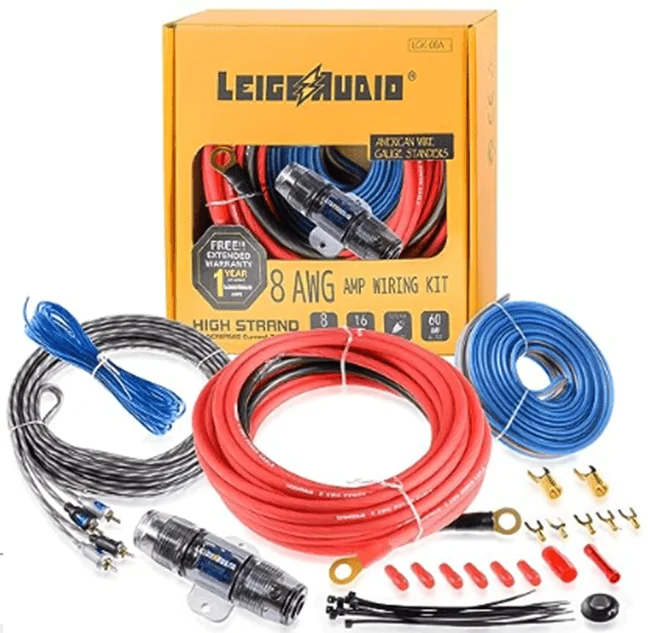
Here is the wiring kit I purchased:
And would the plug-n-play wiring harness be the correct one for me scenario?

https://plugnplaykits.com/products/...y-audio-harnesses-kits?variant=41157659852990
 
OP
OP
jasonstephens37221

jasonstephens37221

Big Bend
Well-Known Member
First Name
Jason
Joined
Sep 11, 2023
Threads
2
Messages
48
Reaction score
105
Location
Hendersonville, TN
Vehicle(s)
2023 Bronco
Your Bronco Model
Big Bend
@jasonstephens37221 Do you have any feedback on my previous post a week ago? Would love to get your take.
Sorry, just seeing this. The plug and play wiring harness is needed for the amp you'll place behind the steering column, which comes with the red power line you'll connect to the battery (feed wire through the gromet located above the brake pedal. For the sub and it's amp, there a hot line that will act as an indicator to turn the amp on with a signal is being sent the rear speakers and speaker lines prewired, but you'll still need to provide a separate power line with a fuse back to you new sub amp, like the wiring kit I provided. You'll also run that line through the gromet and connect to the battery as well. Good luck!
 

Sponsored

mig1980

Wildtrak
Well-Known Member
Joined
Nov 27, 2022
Threads
31
Messages
98
Reaction score
16
Location
El Dorado Hills, CA
Vehicle(s)
2016 Corvette Z06
Your Bronco Model
Wildtrak
Sorry, just seeing this. The plug and play wiring harness is needed for the amp you'll place behind the steering column, which comes with the red power line you'll connect to the battery (feed wire through the gromet located above the brake pedal. For the sub and it's amp, there a hot line that will act as an indicator to turn the amp on with a signal is being sent the rear speakers and speaker lines prewired, but you'll still need to provide a separate power line with a fuse back to you new sub amp, like the wiring kit I provided. You'll also run that line through the gromet and connect to the battery as well. Good luck!
Thank you very much! Just to confirm, the two links I commented on above are the correct ones I will need?
 
Joined
May 10, 2024
Threads
3
Messages
12
Reaction score
5
Location
Los Angeles, CA
Vehicle(s)
2024 Bronco Heritage Edition
Your Bronco Model
Heritage
Clubs
 
Fantastic write up….thank you. Couple questions.

1)for the dash speakers some went with 4” kicker KS with bass blockers vs your recommendation of Kicker CS? What is the difference and what is better option?

2)I was told the kicker key 200.4 actually doesnt have the power to really boost the main 6 speakers and should go with a larger amp, most likely mount it under one of the front seats.

Thoughts on that?

Any other changes or recommendations after having it a while and hearing other builds?

Thank you again. Looking for an upgrade, but best bang for the buck. Not trying to piss off the neighbors.
 
OP
OP
jasonstephens37221

jasonstephens37221

Big Bend
Well-Known Member
First Name
Jason
Joined
Sep 11, 2023
Threads
2
Messages
48
Reaction score
105
Location
Hendersonville, TN
Vehicle(s)
2023 Bronco
Your Bronco Model
Big Bend
Thanks! not at all. Absolutely love my setup for the cost. The amp pushes as loud as I can take it with my old ears of 52, but I'm sure a bigger amp will yield loud sound, just not what I was looking for. Really like the sound quality. I've heard of bass blockers, etc...I didn't do them, but I'm sure they serve a purpose. I was just going for as much bass as possible which is why I left them out. Probably can't go wrong either way. Good luck!
 

JMREWA01

Badlands
Member
Joined
Dec 24, 2021
Threads
0
Messages
7
Reaction score
4
Location
Byron Center, MI
Vehicle(s)
2022 Ford Bronco Badlands
Your Bronco Model
Badlands
2023 Bronco Total Speaker Upgrade Notes

As so many have indicated, the factory speakers that come with the Bronco are crap! My 2023 arrived last month and I instantly started researching how to replace and upgrade my sound system. I did not upgrade the sound system to the B&O package in my initial Bronco order. It did however arrive with a working factory sub and amp in the back cargo area. Therefore, it came equipped with 6 speakers (2 in the dash, 2 in the front floor kicker panel, and 2 in the rear rollbar speaker pods), plus the 1 sub and amp.

I watched several YouTube videos and read several blogs on which speakers to get and amp(s) that were the easiest to install yourself for the best bang for the cost while saving money to do it on my own. Below are my notes of what I did and what I purchased, which I hope saves any newbie like me just starting the sound system upgrade or considering upgrading some time and finds this information helpful.

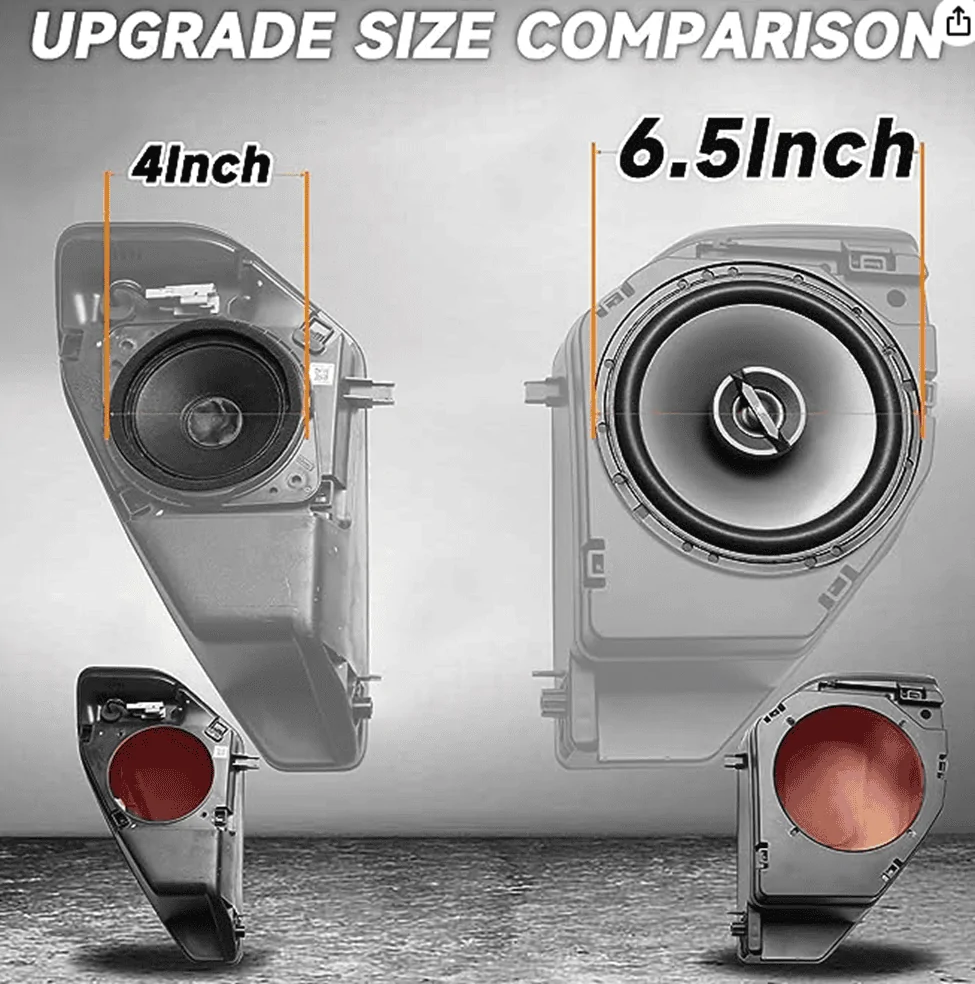
I started by simply replacing just the rear rollbar pod speakers first from the factory 4” speakers with 6.5” Kicker speakers. In order to do this you will need to get a pair of 6.5” pods to accommodate the bigger speakers.

These are the 6.5” Pods I purchased:

https://amzn.to/3ZqZmyN

1694887048514.webp


Note: the first set of 6.5” Kicker speakers I purchased were the “DS” series, which were 240 watts (120 watts each). Once installed I only heard a slight increase in sound, then realized I should have gotten the “CS” Kicker series which were 600 watts (300 watts each) for only just $0.97 more (yes, less than a dollar more). After returning and installing the “CS” series speakers, it was a noticeable improvement.

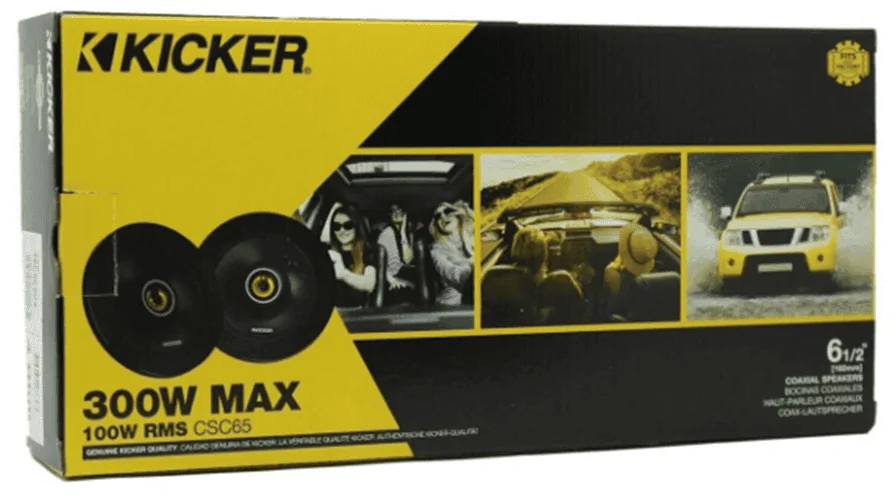
These are the Kicker 6.5” CS series speakers I purchased:

https://amzn.to/3PKwXRd

1694887082645.webp


I still wasn’t satisfied with the overall sound, even though it was a little better. I continued on with my overhaul and upgraded the 2 front dash speakers and the 2 front kicker panel speakers with Kicker “CS” series 4” for the dash, and Kicker “CS” series 6.75” for the kicker panels.

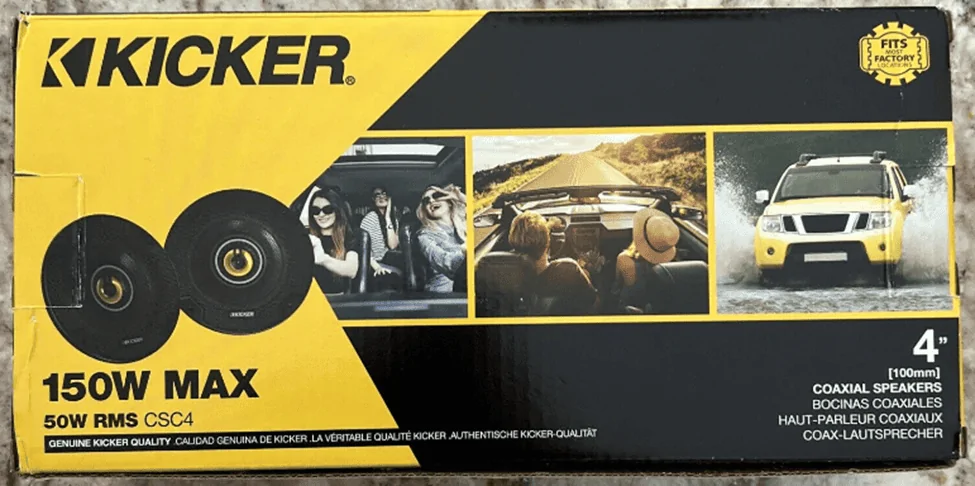
These are the Kicker 4” CS series dash speakers I purchased:

https://amzn.to/3Lsdrqc

1694887110881.webp


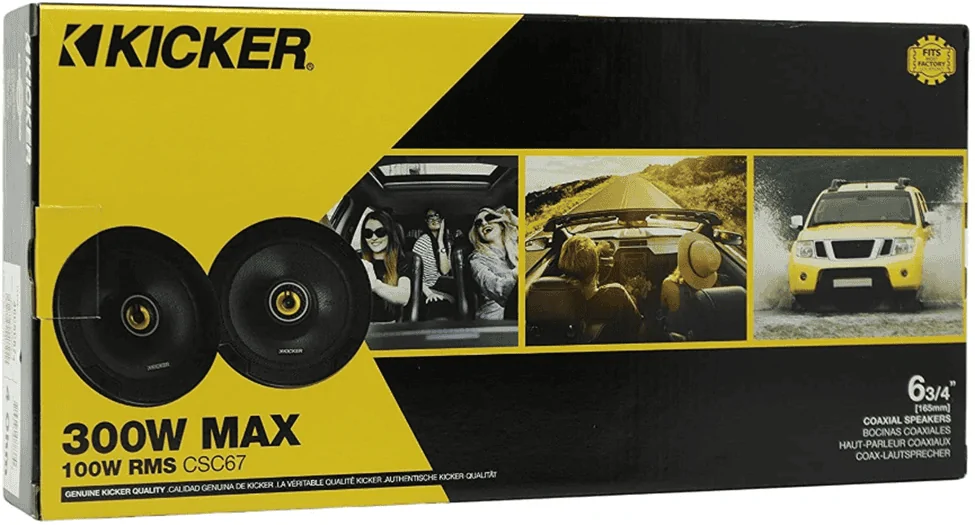
These are the Kicker 6.75” CS series kicker panel speakers I purchased:

https://amzn.to/3EL8fd4

1694887136791.webp


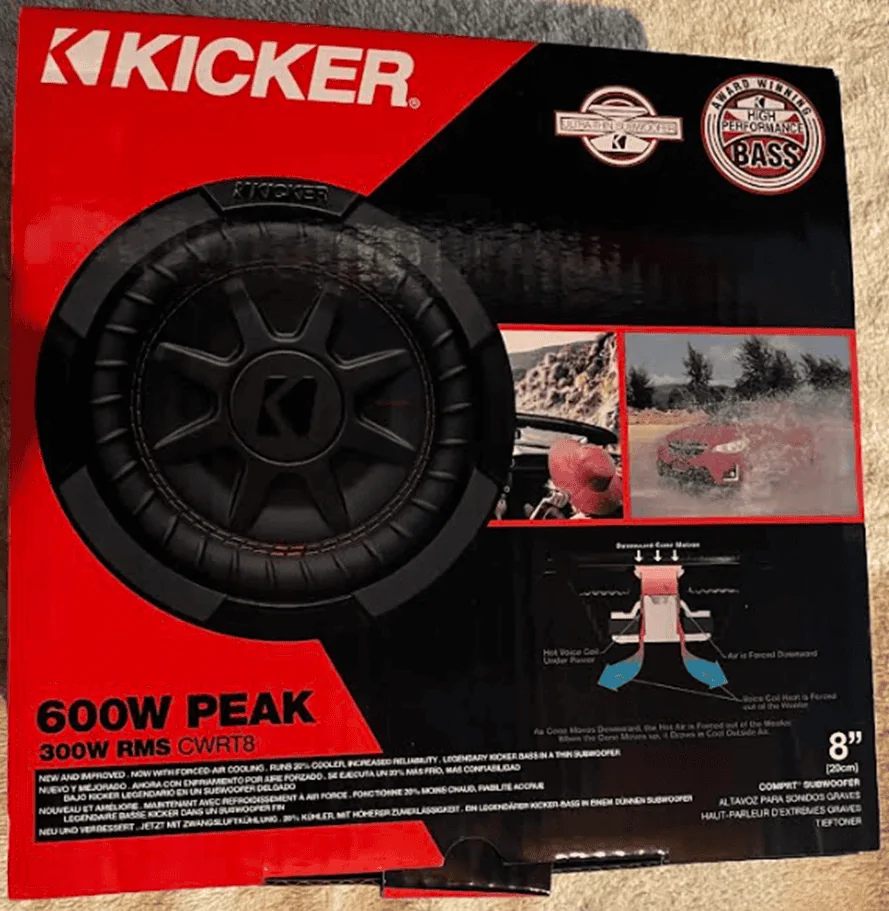
After now having all 6 speakers upgraded to the Kicker “CS” series, it sounded even better, but no real bass! So I moved forward with my sound system upgrade by replacing the factory sub and amp to the Kicker 8” CompRT sub and the Kicker Key 500.1 amp. (I first ordered the 6.75” CompRT sub and used the factory amp and this changed nothing bass wise. I then returned and got the 8” sub along with the Kicker Key 500.1 amp).

Note: the Kicker 6.75” CompRT fits nicely without having to make any modifications. Upgrading to the lager 8” sub will take a little modification to get it to fit in the whole. I used the cardboard cutout that came in the speaker box and traced an outline around the new whole diameter I needed to cut with a sharpie pen and used a multi-purpose tool to cut the new larger whole diameter.

This is the Kicker 8” CompRT sub I purchased:

https://amzn.to/452CQgQ

1694887180407.webp


Here is the 6.75” Kicker CompRT sub that fits and requires no modification if that's the route you would rather take:

https://amzn.to/450lJwi


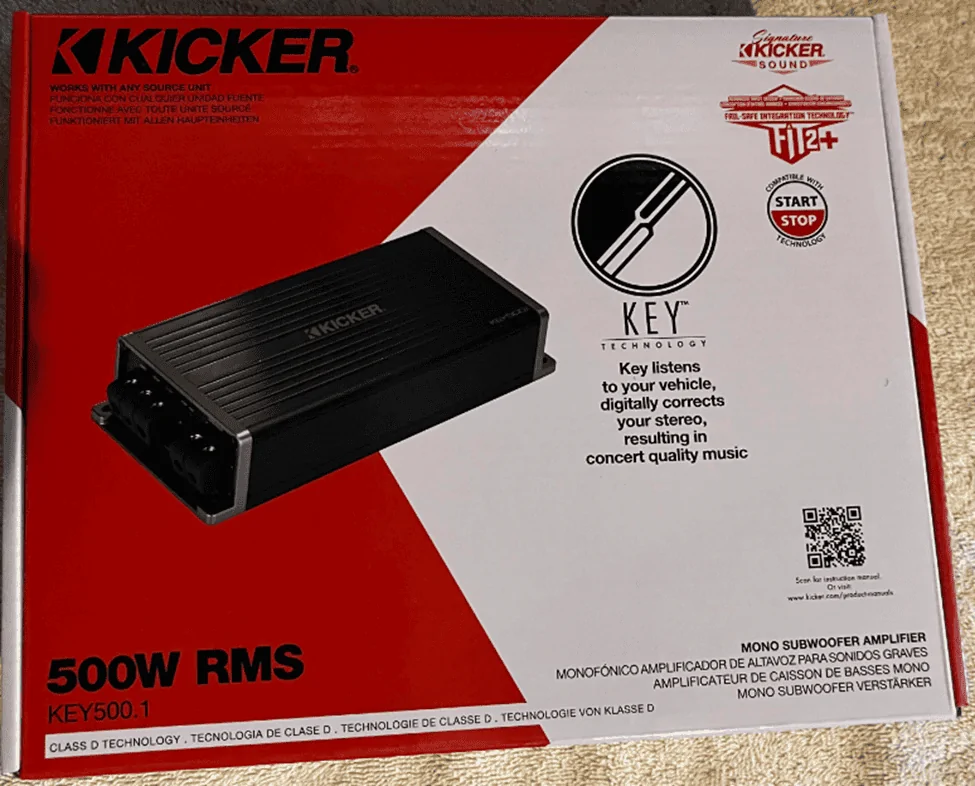
Note: you will still want to upgrade the amp to the Kicker Key 500.1 whether you go with the smaller 6.75” sub or the larger 8” sub or you will not get the power needed to hear a difference in the bass quality.

Here is the Kicker Key 500.1 amp I purchased for the sub:

https://amzn.to/3RpT9kQ

1694887215527.webp


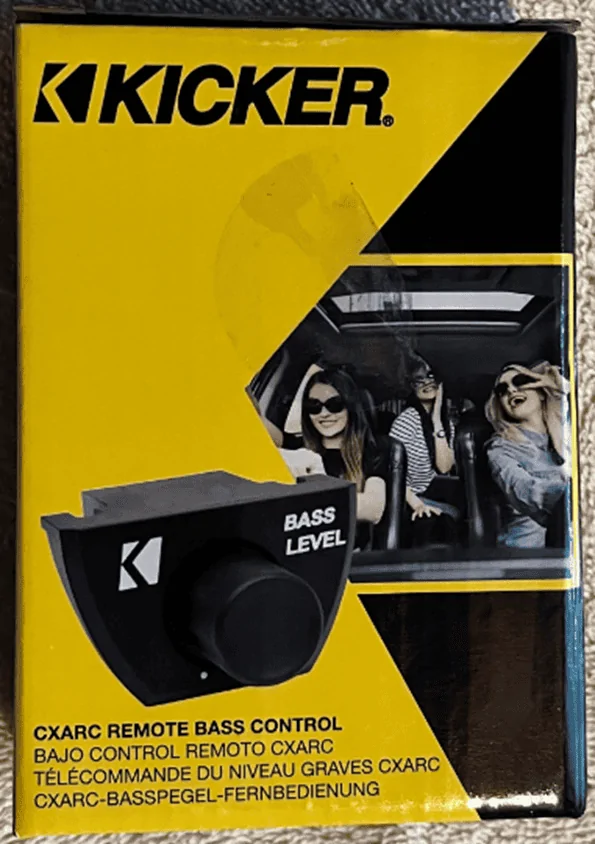
You will also need to get a remote bass controller to be able to adjust the bass output if you desire. This is optional, but I went ahead and installed it and placed it under the steeling wheel just to the right.

This is the Kicker Remote Bass Controller I purchased:

https://amzn.to/3t0c1wx

1694887234525.webp


Regarding the sub installation, you’ll want to go with a thicker gauge wire for powering the amp. I went with the 8 gauge recommendation over the factory 12 gauge. This kit has everything you need, even an inline fuse for added amp protection. Also, make sure you disconnect the battery before you clip the factory wire harness feeding the factory amp (if you have it) because one of the lines is hot. Simply wire nut and tape off the existing factory hot/power line. I did the same for the ground as well.

Here is the wiring kit I purchased:

https://amzn.to/3t96cwJ

1694887252055.webp


Note: there is a nice spot to connect the ground located above and to the right of the amp/sub panel area where you’ll see an existing ground placement used by the factory.

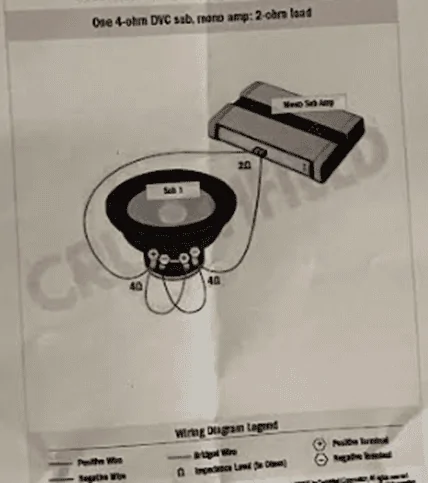
Lastly, since the overall sound system was at 4 ohms, I connected my sub as shown below for achieving 2 ohms so it could handle the full 500 watts of power from the Kicker Key 500.1 amp.

Here is the wiring diagram to go from 4 ohms to 2 ohms:

1694887278466.webp


Now I was getting a little more bass, but no where near what I expected. I adjusted both the amp's gain and played around with the FORScan settings (more detail on the FORScan settings below), and still not achieving much bass from the 8" sub and amp. Frustrated, I pulled the trigger to purchase and install the Kicker Key 200.4 amp for all the other speakers, including the rear speakers where the sub speaker inputs are coming from. This step did the trick and I was literally getting some great sound from all the speakers and really good bass from the sub.

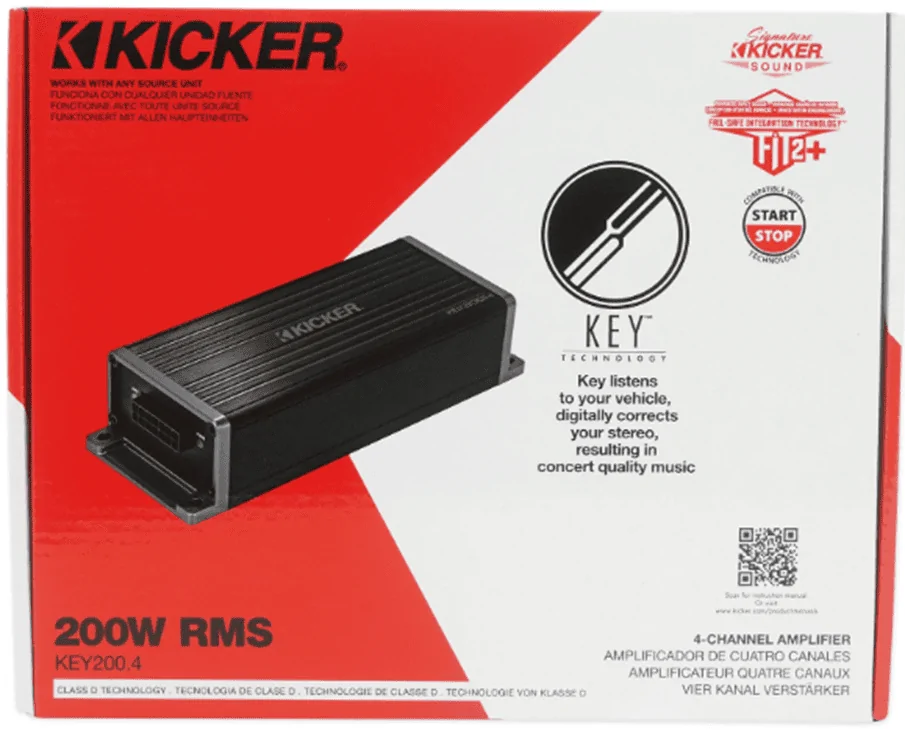
Here is the Kicker Key 200.4 amp I purchased:

https://amzn.to/3ZugGTS

1694887303265.webp


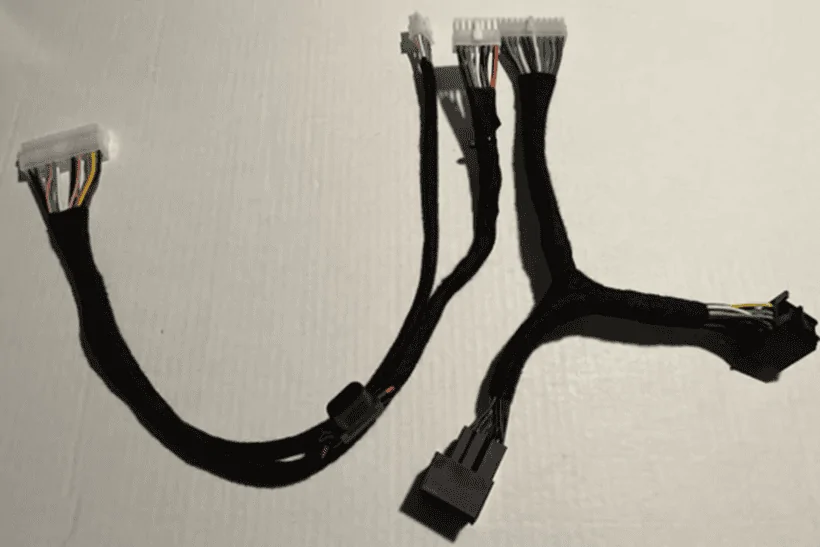
With the Kicker Key 200.4 amp, I recommend getting a plug n play wiring harness kit specifically for your Bronco. I purchased my wiring harness kit from https://plugnplaykits.com/

Here is the Kicker Key 200.4 wiring harness I purchased specifically made for the Bronco, which is Kit 11-1

Note: note shown in the picture, but the kit comes with all the additional power wiring: hot, ground, and fuse!

https://plugnplaykits.com/products/...y-audio-harnesses-kits?variant=41157659852990

1694887326832.webp


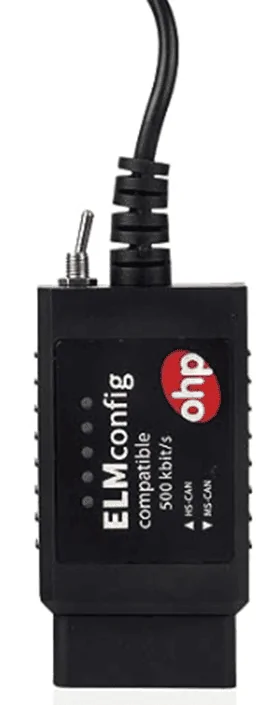
Now that you have all speakers upgraded, including the sub, and you now have two amps, one powering the sub in the back, and one powering the other 6 speakers, it’s now time to adjust your FORScan computer settings. You’ll need to get the recommended adaptor that plugs into your laptop to make the changes. You will also need to download the free software on your laptop at: https://forscan.org/download.html

Here is the recommended adaptor I purchased:

https://amzn.to/3RuzDU8

1694887353019.webp


Finally, the FORScan settings I used for the ACM Module were:

First line in the ACM module series: 727-01-01

The Hex String: xxXX – XXxx – xxxx

I only adjusted the capital X’s above. I left the lower case x’s at their default settings. I am merely using a lowercase “x” and a capital “X” for sequence illustration purposes.

The last two capital XX’s in the first group box I changed to: 03

This sets the settings to read [Speaker/Speaker] for your driver side and passenger side kick panel and dash speakers to get full power.

The first two capital XX’s in the second group box I changed to: 02

This sets the settings to read [Speaker/Speaker & Sub] for your driver side and passenger side rear pod speakers and sub to get full power.

Note: If for some reason you are not getting any sound from your sub, you can try setting to: 0E

This sets the settings to read [Speaker/Sub Only] for your driver side and passenger side rear pod speakers and sub.

*** UPDATE ***
I overlooked one critical step and setting to my overall setup with having the Kicker Key 200.4 installed and that is turning off the factory EQ within FORScan. OMG! what an improvement that one simple setting made! This is now a must do and I highly recommend doing so!!


Here are the settings for turning off the factory EQ:

Second line in the ACM module series: 727-01-02

The Hex String: xxXX – xxxx – xxxx

The last two capital XX’s in the first group box I changed to: 00

This sets the settings to read [EQ Off]

Note: To turn the EQ back on simply change the setting back to: 01

-----------------------------------

Now that everything is completed and installed from all the above recommendations, what an overall noticeable sound quality improvement. Just wow! I’m getting some amazing bass and the clarity of the music is so clear and clean. What I observed is if you do not install the Kicker Key 200.4 amp you will not get the power you need to fully access the wattage from all the new Kicker speakers you upgraded to and send enough power to the sub amp's speaker input.

In summary, I tried to layout out as much as possible my approach and process. That said, I really could not just replace a speaker here and there and not get an amp or amps in order to get the sound I was looking for and wanted that provided enough bass and kick. Therefore, skip the slow cutting corners approach like I originally did and go all in, otherwise, you’ll eventually get there like I did. Order it all at one time and allow yourself a day to install and tweak at your own pace.

Order summary:

[Pair of Kicker CS 4” dash speakers, Pair of Kicker CS 6.75” Kicker speakers, Pair of 6.5” new Pods, Pair of 6.5” Kicker CS speakers, one 8” Kicker CompRT Sub or one 6.75 CompRT sub depending on whether you want to do any modifications, one Kicker Key 200.4 amp, one Kicker Key 500.1 amp, a Plug and Play wiring harness for the Kicker Key 200.4 amp, Power/Ground wiring kit for the Kicker Key 500.1 amp, Kicker Remote Bass Controller, and a FORScan adopter]…and don’t forget to wire your sub from 4 ohms down to 2 ohms so you get the max 500 watt output from your amp to your sub!

Here are a few recommended YouTube videos to watch for making this upgrade and how to remove panels, etc. Tremendous help, so I wanted to say thanks and give credit to these folks for their helpful videos!!

From @RagnarKon

Sub Upgrade


Speaker Upgrade


FORScan


From Jacob Doty

Speaker Upgrade
So will the other kicker sub not fit in the Ford OEM housing (non-shallow version without the “RT”)? Is it too deep?
 

Sponsored

JMREWA01

Badlands
Member
Joined
Dec 24, 2021
Threads
0
Messages
7
Reaction score
4
Location
Byron Center, MI
Vehicle(s)
2022 Ford Bronco Badlands
Your Bronco Model
Badlands
Fantastic write up….thank you. Couple questions.

1)for the dash speakers some went with 4” kicker KS with bass blockers vs your recommendation of Kicker CS? What is the difference and what is better option?

2)I was told the kicker key 200.4 actually doesnt have the power to really boost the main 6 speakers and should go with a larger amp, most likely mount it under one of the front seats.

Thoughts on that?

Any other changes or recommendations after having it a while and hearing other builds?

Thank you again. Looking for an upgrade, but best bang for the buck. Not trying to piss off the neighbors.
I got the kicker KS 4” up front and the kicker key 200.4 about 6 months ago and it’s without question much better. Just added 6.5” kicker KS’s in the rear with Mabbet pods and it’s significantly better and the Key 200.4 will drive those much better than just the head unit. Of course you can always go bigger but bang for the buck it’s worth it.
 
OP
OP
jasonstephens37221

jasonstephens37221

Big Bend
Well-Known Member
First Name
Jason
Joined
Sep 11, 2023
Threads
2
Messages
48
Reaction score
105
Location
Hendersonville, TN
Vehicle(s)
2023 Bronco
Your Bronco Model
Big Bend
So will the other kicker sub not fit in the Ford OEM housing (non-shallow version without the “RT”)? Is it too deep?
Not totally sure, but from what I've seen from others is no modifications needed to drop in the 6.75" sub. Almost fits like a glove. The 8" CompRT fits after to you widen the hole a little with something like a multi-purpose tool, which is the route I took wanting more bass.
 

4LowAndBehold

Big Bend
New Member
First Name
Brian
Joined
May 11, 2025
Threads
0
Messages
1
Reaction score
0
Location
Florida
Vehicle(s)
2024 Bronco
Your Bronco Model
Big Bend
2023 Bronco Total Speaker Upgrade Notes

As so many have indicated, the factory speakers that come with the Bronco are crap! My 2023 arrived last month and I instantly started researching how to replace and upgrade my sound system. I did not upgrade the sound system to the B&O package in my initial Bronco order. It did however arrive with a working factory sub and amp in the back cargo area. Therefore, it came equipped with 6 speakers (2 in the dash, 2 in the front floor kicker panel, and 2 in the rear rollbar speaker pods), plus the 1 sub and amp.

I watched several YouTube videos and read several blogs on which speakers to get and amp(s) that were the easiest to install yourself for the best bang for the cost while saving money to do it on my own. Below are my notes of what I did and what I purchased, which I hope saves any newbie like me just starting the sound system upgrade or considering upgrading some time and finds this information helpful.

I started by simply replacing just the rear rollbar pod speakers first from the factory 4” speakers with 6.5” Kicker speakers. In order to do this you will need to get a pair of 6.5” pods to accommodate the bigger speakers.

These are the 6.5” Pods I purchased:

https://amzn.to/3ZqZmyN

1694887048514.png


Note: the first set of 6.5” Kicker speakers I purchased were the “DS” series, which were 240 watts (120 watts each). Once installed I only heard a slight increase in sound, then realized I should have gotten the “CS” Kicker series which were 600 watts (300 watts each) for only just $0.97 more (yes, less than a dollar more). After returning and installing the “CS” series speakers, it was a noticeable improvement.

These are the Kicker 6.5” CS series speakers I purchased:

https://amzn.to/3PKwXRd

1694887082645.png


I still wasn’t satisfied with the overall sound, even though it was a little better. I continued on with my overhaul and upgraded the 2 front dash speakers and the 2 front kicker panel speakers with Kicker “CS” series 4” for the dash, and Kicker “CS” series 6.75” for the kicker panels.

These are the Kicker 4” CS series dash speakers I purchased:

https://amzn.to/3Lsdrqc

1694887110881.png


These are the Kicker 6.75” CS series kicker panel speakers I purchased:

https://amzn.to/3EL8fd4

1694887136791.png


After now having all 6 speakers upgraded to the Kicker “CS” series, it sounded even better, but no real bass! So I moved forward with my sound system upgrade by replacing the factory sub and amp to the Kicker 8” CompRT sub and the Kicker Key 500.1 amp. (I first ordered the 6.75” CompRT sub and used the factory amp and this changed nothing bass wise. I then returned and got the 8” sub along with the Kicker Key 500.1 amp).

Note: the Kicker 6.75” CompRT fits nicely without having to make any modifications. Upgrading to the lager 8” sub will take a little modification to get it to fit in the whole. I used the cardboard cutout that came in the speaker box and traced an outline around the new whole diameter I needed to cut with a sharpie pen and used a multi-purpose tool to cut the new larger whole diameter.

This is the Kicker 8” CompRT sub I purchased:

https://amzn.to/452CQgQ

1694887180407.png


Here is the 6.75” Kicker CompRT sub that fits and requires no modification if that's the route you would rather take:

https://amzn.to/450lJwi


Note: you will still want to upgrade the amp to the Kicker Key 500.1 whether you go with the smaller 6.75” sub or the larger 8” sub or you will not get the power needed to hear a difference in the bass quality.

Here is the Kicker Key 500.1 amp I purchased for the sub:

https://amzn.to/3RpT9kQ

1694887215527.png


You will also need to get a remote bass controller to be able to adjust the bass output if you desire. This is optional, but I went ahead and installed it and placed it under the steeling wheel just to the right.

This is the Kicker Remote Bass Controller I purchased:

https://amzn.to/3t0c1wx

1694887234525.png


Regarding the sub installation, you’ll want to go with a thicker gauge wire for powering the amp. I went with the 8 gauge recommendation over the factory 12 gauge. This kit has everything you need, even an inline fuse for added amp protection. Also, make sure you disconnect the battery before you clip the factory wire harness feeding the factory amp (if you have it) because one of the lines is hot. Simply wire nut and tape off the existing factory hot/power line. I did the same for the ground as well.

Here is the wiring kit I purchased:

https://amzn.to/3t96cwJ

1694887252055.png


Note: there is a nice spot to connect the ground located above and to the right of the amp/sub panel area where you’ll see an existing ground placement used by the factory.

Lastly, since the overall sound system was at 4 ohms, I connected my sub as shown below for achieving 2 ohms so it could handle the full 500 watts of power from the Kicker Key 500.1 amp.

Here is the wiring diagram to go from 4 ohms to 2 ohms:

1694887278466.png


Now I was getting a little more bass, but no where near what I expected. I adjusted both the amp's gain and played around with the FORScan settings (more detail on the FORScan settings below), and still not achieving much bass from the 8" sub and amp. Frustrated, I pulled the trigger to purchase and install the Kicker Key 200.4 amp for all the other speakers, including the rear speakers where the sub speaker inputs are coming from. This step did the trick and I was literally getting some great sound from all the speakers and really good bass from the sub.

Here is the Kicker Key 200.4 amp I purchased:

https://amzn.to/3ZugGTS

1694887303265.png


With the Kicker Key 200.4 amp, I recommend getting a plug n play wiring harness kit specifically for your Bronco. I purchased my wiring harness kit from https://plugnplaykits.com/

Here is the Kicker Key 200.4 wiring harness I purchased specifically made for the Bronco, which is Kit 11-1

Note: note shown in the picture, but the kit comes with all the additional power wiring: hot, ground, and fuse!

https://plugnplaykits.com/products/...y-audio-harnesses-kits?variant=41157659852990

1694887326832.png


Now that you have all speakers upgraded, including the sub, and you now have two amps, one powering the sub in the back, and one powering the other 6 speakers, it’s now time to adjust your FORScan computer settings. You’ll need to get the recommended adaptor that plugs into your laptop to make the changes. You will also need to download the free software on your laptop at: https://forscan.org/download.html

Here is the recommended adaptor I purchased:

https://amzn.to/3RuzDU8

1694887353019.png


Finally, the FORScan settings I used for the ACM Module were:

First line in the ACM module series: 727-01-01

The Hex String: xxXX – XXxx – xxxx

I only adjusted the capital X’s above. I left the lower case x’s at their default settings. I am merely using a lowercase “x” and a capital “X” for sequence illustration purposes.

The last two capital XX’s in the first group box I changed to: 03

This sets the settings to read [Speaker/Speaker] for your driver side and passenger side kick panel and dash speakers to get full power.

The first two capital XX’s in the second group box I changed to: 02

This sets the settings to read [Speaker/Speaker & Sub] for your driver side and passenger side rear pod speakers and sub to get full power.

Note: If for some reason you are not getting any sound from your sub, you can try setting to: 0E

This sets the settings to read [Speaker/Sub Only] for your driver side and passenger side rear pod speakers and sub.

*** UPDATE ***
I overlooked one critical step and setting to my overall setup with having the Kicker Key 200.4 installed and that is turning off the factory EQ within FORScan. OMG! what an improvement that one simple setting made! This is now a must do and I highly recommend doing so!!


Here are the settings for turning off the factory EQ:

Second line in the ACM module series: 727-01-02

The Hex String: xxXX – xxxx – xxxx

The last two capital XX’s in the first group box I changed to: 00

This sets the settings to read [EQ Off]

Note: To turn the EQ back on simply change the setting back to: 01

-----------------------------------

Now that everything is completed and installed from all the above recommendations, what an overall noticeable sound quality improvement. Just wow! I’m getting some amazing bass and the clarity of the music is so clear and clean. What I observed is if you do not install the Kicker Key 200.4 amp you will not get the power you need to fully access the wattage from all the new Kicker speakers you upgraded to and send enough power to the sub amp's speaker input.

In summary, I tried to layout out as much as possible my approach and process. That said, I really could not just replace a speaker here and there and not get an amp or amps in order to get the sound I was looking for and wanted that provided enough bass and kick. Therefore, skip the slow cutting corners approach like I originally did and go all in, otherwise, you’ll eventually get there like I did. Order it all at one time and allow yourself a day to install and tweak at your own pace.

Order summary:

[Pair of Kicker CS 4” dash speakers, Pair of Kicker CS 6.75” Kicker speakers, Pair of 6.5” new Pods, Pair of 6.5” Kicker CS speakers, one 8” Kicker CompRT Sub or one 6.75 CompRT sub depending on whether you want to do any modifications, one Kicker Key 200.4 amp, one Kicker Key 500.1 amp, a Plug and Play wiring harness for the Kicker Key 200.4 amp, Power/Ground wiring kit for the Kicker Key 500.1 amp, Kicker Remote Bass Controller, and a FORScan adopter]…and don’t forget to wire your sub from 4 ohms down to 2 ohms so you get the max 500 watt output from your amp to your sub!

Here are a few recommended YouTube videos to watch for making this upgrade and how to remove panels, etc. Tremendous help, so I wanted to say thanks and give credit to these folks for their helpful videos!!

From @RagnarKon

Sub Upgrade


Speaker Upgrade


FORScan


From Jacob Doty

Speaker Upgrade
Absolutely Brilliant! I have a question... So your set up is pretty much the same as mine at this point as far as the upgrades... I'm getting ready have the 200.4 installed however instead of replacing the factory sub, I was going to drop in a Kicker hideaway as it seems a lot easier than pulling out panels and modifying the the sub housing. Is there anything special that I would need to do in addition to what you've already mentioned? I pretty sure depending on how its installed, I may need to install an LOC so it doesn't interfere with the auto-calibration and DSP.
Sponsored


Top