

- Thread starter
- #16
You’re the Bronco whisperer! After pulling the negative battery cable for about half an hour, when I go to settings/software updates I now see the normal screen where I can turn auto updates on/off, etc. Thank you, sir. I look forward to educating the dealership service department on how to resolve the issue.Got your message. OTA dashboard is below. TCU update 10.1.1 is in your queue right now for the third time. Both times it failed previously, it failed because your truck did not ping the server back to accept the OTA trigger, and so far, it is not pinging the server back for this try either since it was sent to you 3 days ago.
This could very well be due to your GWM being hung up in a funky state, and the fact that when you check for updates, it cannot get past that screen you posted indicated that a battery pull is indeed needed to reset everything. While I cannot guarantee that the battery pull will 100% work to get this update to go through, I can tell you this behavior is not normal and it won't hurt to try.
The TCU is one of several modules which gets updated while the vehicle is turned on and running, so this is not a battery issue. When an OTA failed due to low SoC, this screen below will clearly tell you that is the reason.
View attachment 703979
Sponsored
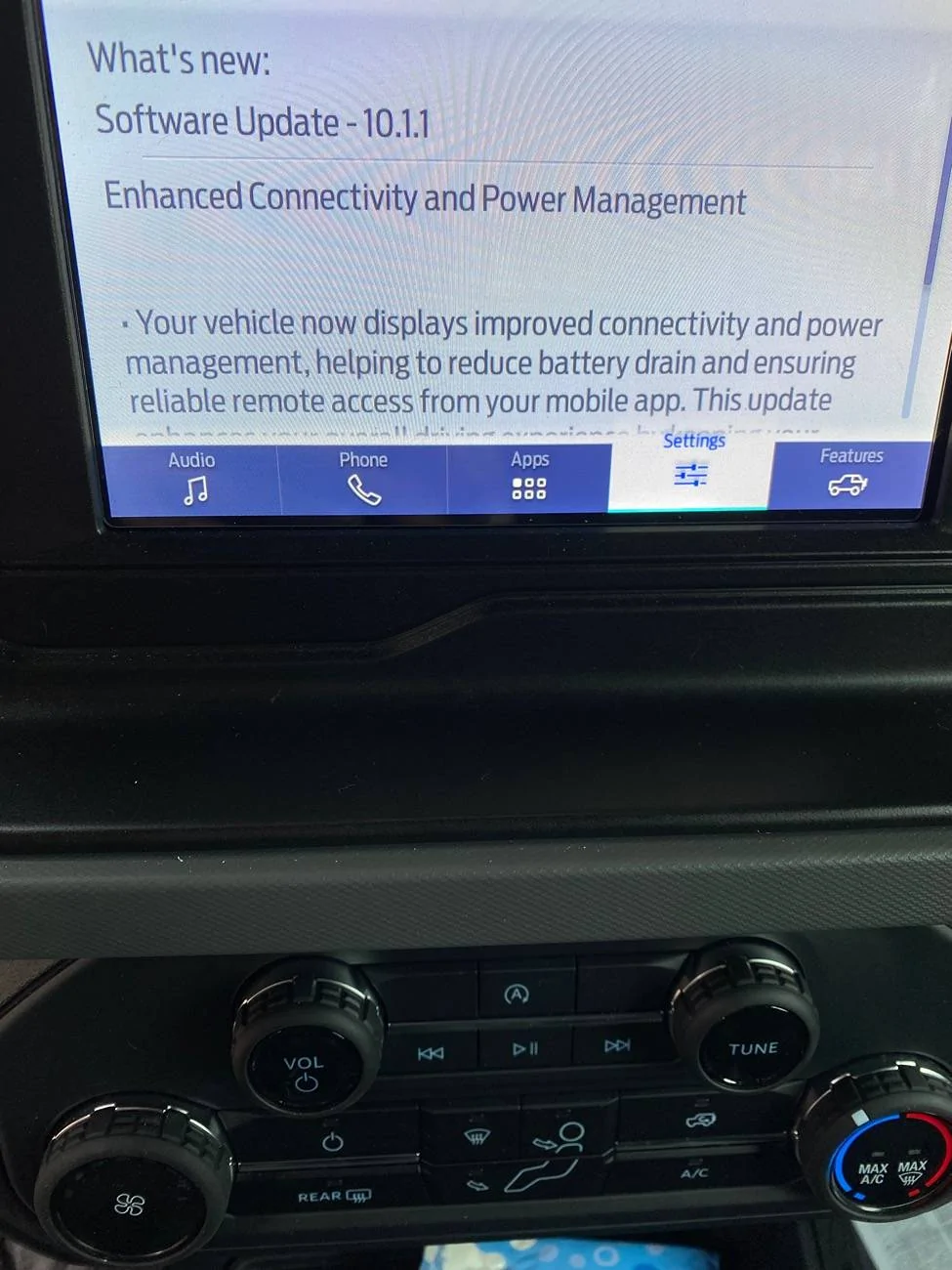

 Well, the truck still hasn't pinged the server back to accept the OTA, but at least one thing is fixed. Hopefully it will ping the mothership back the next time you drive it.


