
Sponsored

ActionZ

Black Diamond
Well-Known Member
First Name
Jackson
Joined
Jun 21, 2025
Threads
8
Messages
113
Reaction score
63
Location
Vancouver
Vehicle(s)
2024 Bronco 2.7
Your Bronco Model
Black Diamond
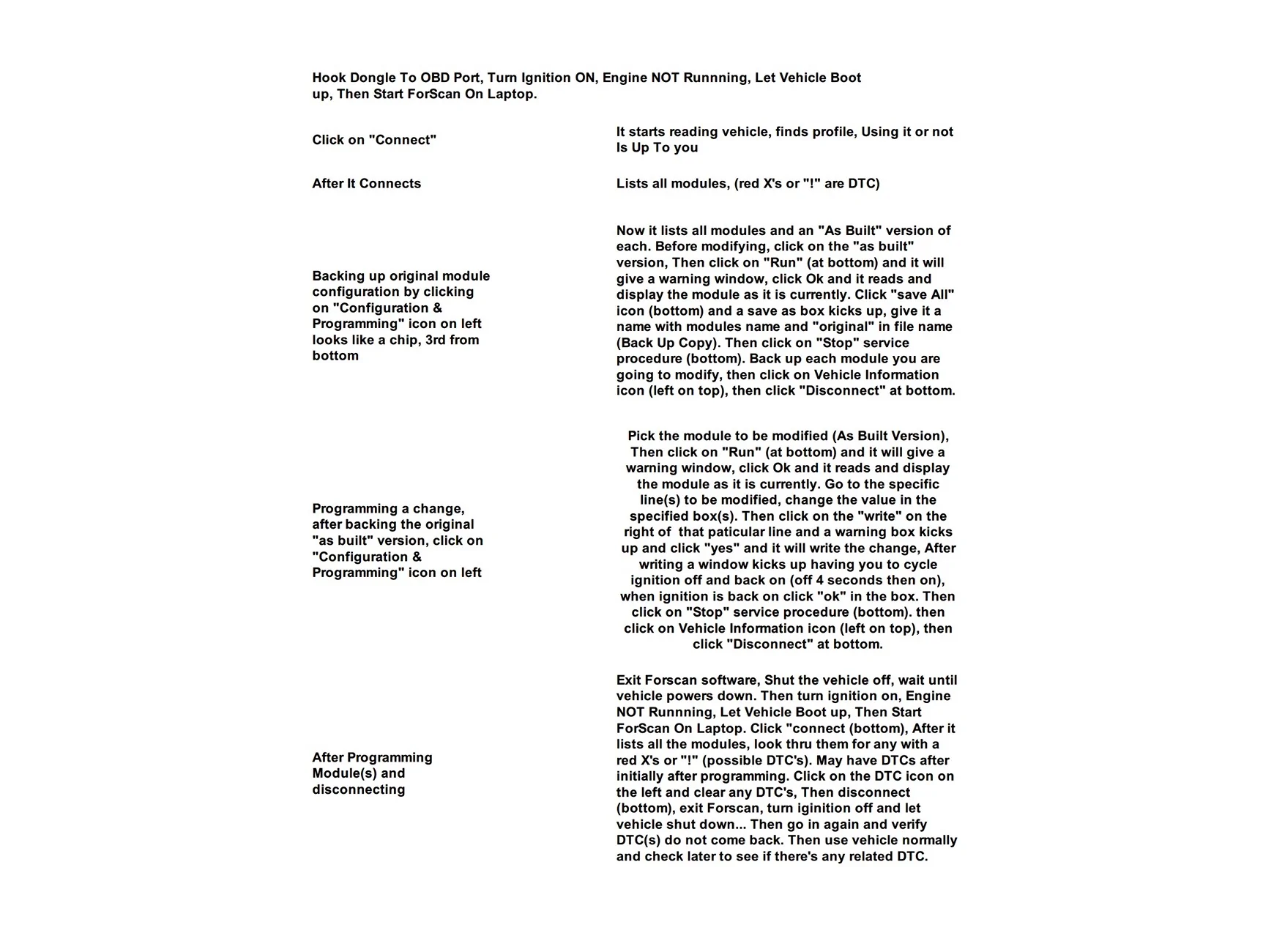
I've eliminated the seatbelt and door chimes, but I don't see anything in the plain English enable/disable options to remove this pop up? Anybody know if it's possible, and if so... how? I'm not opposed to doing As Built.

IMG_6040.webp
You can't remove that. Just the sounds.
Sponsored


Mr Nick

Outer Banks
Member
First Name
Nick
Joined
May 10, 2026
Threads
4
Messages
22
Reaction score
57
Location
Chicagoland
Vehicle(s)
2026 OBX SAS, 1969 Olds Cutlass
Your Bronco Model
Outer Banks
I was able to get rid of the red or green X's, but not the pop up itself. Swing and a miss.
 

Mr Nick

Outer Banks
Member
First Name
Nick
Joined
May 10, 2026
Threads
4
Messages
22
Reaction score
57
Location
Chicagoland
Vehicle(s)
2026 OBX SAS, 1969 Olds Cutlass
Your Bronco Model
Outer Banks
You can't remove that. Just the sounds.
I was able to eliminate the pop up screen entirely using plain English EZ mode option by changing "Seat Row 2 Bench" to "Not Present", but it created a DTC P160B in the IPC module. I don't care about the DTC, I'll clear it a couple times and see if it keeps returning. My only concern is the vehicle now thinks seats are missing and the restraint system or air bags won't function properly. But I have no codes in the RCM (Restraint Control Module), and the airbag light comes up on the dash during start up for a few seconds like it should.

Might be on to something here.
Sponsored


Top