- Thread starter
- #16
That video starts in a place I'm not familiar with. I think it's safe to assume that the Ford app is what's causing my problem, is that part of google play? I'm not aware that I have google play on my phone.
Sponsored
That video starts in a place I'm not familiar with. I think it's safe to assume that the Ford app is what's causing my problem, is that part of google play? I'm not aware that I have google play on my phone.

Yeah, if it's constantly running, then the ford app has a permission issue.That video starts in a place I'm not familiar with. I think it's safe to assume that the Ford app is what's causing my problem, is that part of google play? I'm not aware that I have google play on my phone.
As best I can tell I don't have google play on my phone. I have a play store icon in my apps, when I click on it it tells me that I haven't set up purchase verification.Yeah, if it's constantly running, then the ford app has a permission issue.
I'd say to uninstall it in Google play, then if you want, reinstall it.
But you can also monitor your vehicle on the ford website, which wouldn't drain your battery on your phone.

Google renamed Google Play to Play Store a number of years ago. It's the same thing.As best I can tell I don't have google play on my phone. I have a play store icon in my apps, when I click on it it tells me that I haven't set up purchase verification.
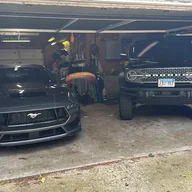
I logged into my Bronco's dasboard on the website and there are no warnings or messages there, it says my vehicle is in excellent health. I also called Ford app assistance and found out they are closed on weekends. Apparently the app and the website don't communicate.Yeah, if it's constantly running, then the ford app has a permission issue.
I'd say to uninstall it in Google play, then if you want, reinstall it.
But you can also monitor your vehicle on the ford website, which wouldn't drain your battery on your phone.