
Sponsored

Perpetual "Updating SYNC" screen

UtahBrandon

Badlands
Well-Known Member
Base Sponsor (Level 1)
First Name
Brandon
Joined
Oct 5, 2020
Threads
52
Messages
676
Reaction score
1,613
Location
Utah
Website
www.puravidaoffroad.com
Vehicle(s)
a number of classics and my 4dr Badlands
Your Bronco Model
Badlands
Clubs
 
I see this every time I start the (2021 Badlands) Bronco now for at least the last two weeks. Anyone have a solution aside from bringing it in and forcing the update from Ford?

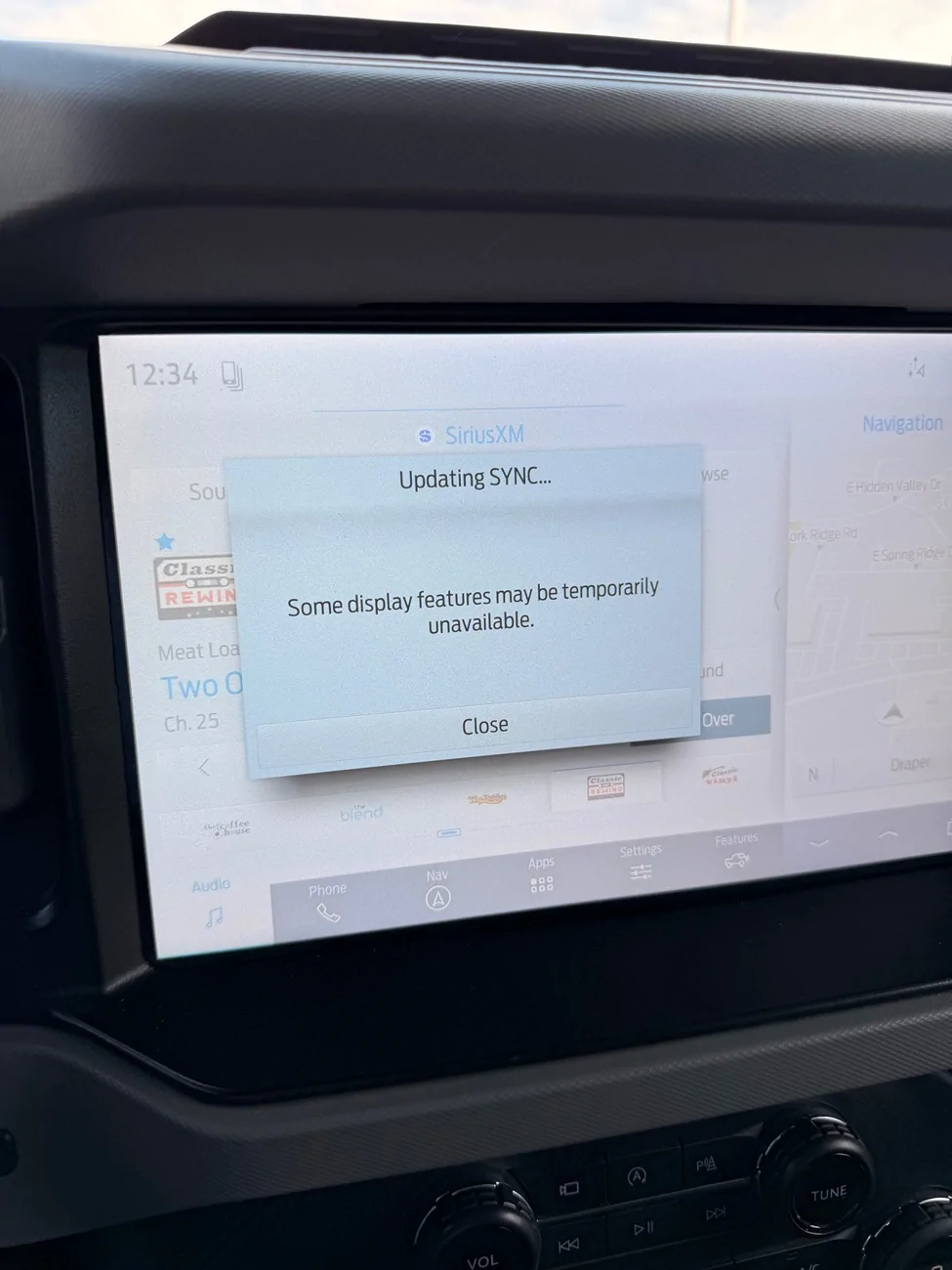
Ford Bronco Perpetual "Updating SYNC" screen IMG_1413
Sponsored


CitrusBronco

Everglades
Well-Known Member
First Name
Jim
Joined
May 12, 2024
Threads
26
Messages
1,278
Reaction score
2,591
Location
Citrus county, FL
Vehicle(s)
Former 72 & 73 Bronco driver, f250 7.3 powerstroke
Your Bronco Model
Everglades
Clubs
 
Did you try the reset function? It basically reboots the sync system.
Hold down the volume button and skip forward button on the knobs until you see it reboot.
 

rugedraw

Well-Known Member
First Name
Javier
Joined
Jan 9, 2024
Threads
0
Messages
427
Reaction score
358
Location
Miami, FL
Vehicle(s)
2021 Ford F150 Platinum FX4 EB/2023 Bronco Sport Badlands/1991 Mustang 5.0 coupe
Your Bronco Model
Undecided
This is a known issue that has been happening to many Fords with the new Sync OTA...not just Broncos. There is something you can try that has worked for some people.

Go to your auto updates page, and change the time auto updates are supposed to install. Then, turn auto updates off and back on. Lastly, reboot sync by holding the forward seek and radio power button together until the screen reboots. If it works, it will install after a few key cycles. You may still get the message, but if you check your "about sync" and see that the sync version is 26093, then the update installed.
Sponsored


Top