
- First Name
- Brian
- Joined
- Sep 14, 2023
- Threads
- 63
- Messages
- 8,681
- Reaction score
- 15,467
- Location
- Central CA
- Vehicle(s)
- '23 BB 4dr 7MT, '22 BSport OBX, '87 B-II XL
- Your Bronco Model
- Big Bend
- Thread starter
- #1
So after a couple of years of tinkering, and contining to see weird things with Sync and what not - I figured... you know, I've played around so much with Forscan over time, I've probably got some self-induced wonkiness going on.
So I'll just spend a day, roll everything back to Factory, then re-add the things I really want.
I had saved all my module As-Builds before I did anything with Forscan (the real ones, not the ones from the Ford Website), so that's something I guess. And before I rolled anything back, I made another saved set of "Current" values, just in case anything went wrong.
Going back with writing all the original values - the RCM would give me a "Conditions no met" error when trying to write. But it did something, I don't know what. Nothing else presented any issue while restoring, at least on the surface.
After restoration, two things immediately popped up:
My remote keypad completely stopped working
The Front Camera (IPMA) apparently dumped it's config and requires recalibration - throwing a fault (C1001:54-60)
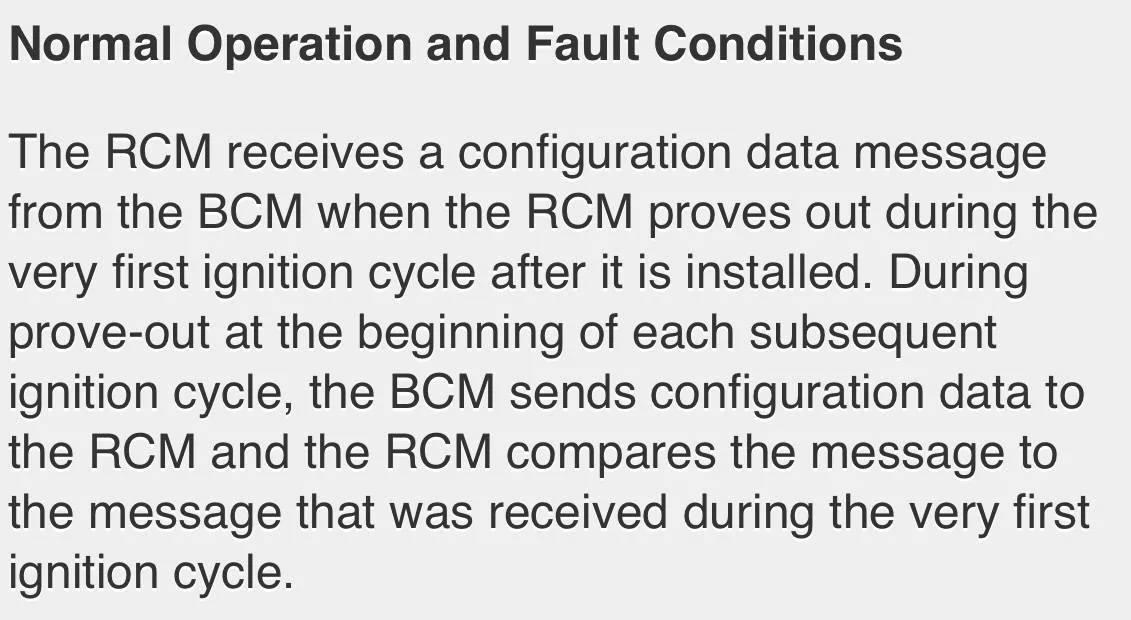
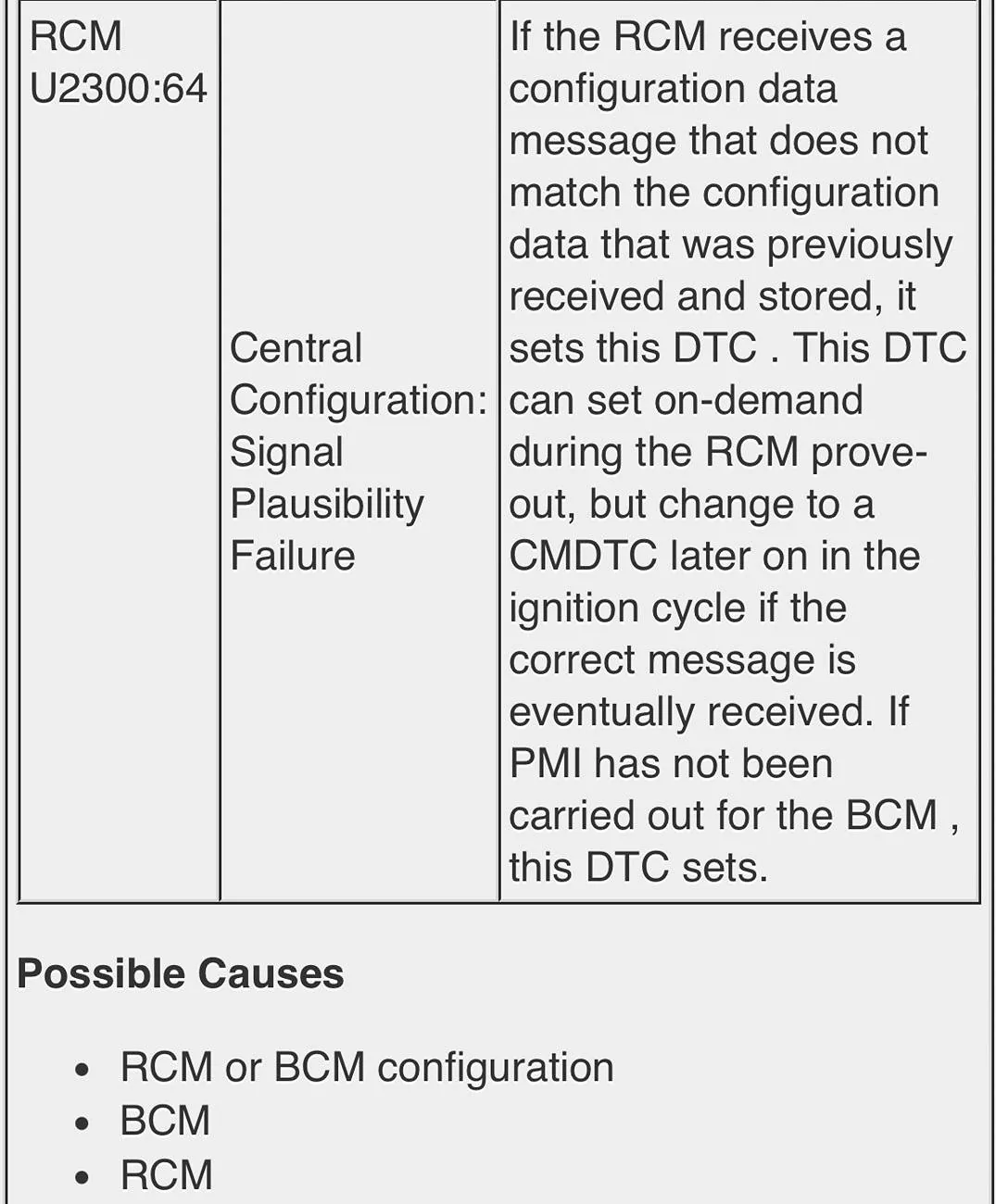
The RCM also has a fault code (I think this is probably just because the IMPA has a code, but not certain) (U2300:64-08)
So. Moving forward, I re-added Global Remote Windows, re-fixed the ACM/radio EQ, added back Bambi lights, and a couple of other minor changes (doodoodoo/doublehonk, etc). Following the spreadsheet that's been around here forever (and the source document to how I made all the changes originally).
https://www.bronco6g.com/forum/thre...k-sport-mode-chimes-seatbelts-and-more.28489/
After this round of changes, I noted this time - Global Windows wasn't working.
I went and dug into the files trying to fix my three issues now - IPMA/RCM codes, Global Windows not working, and broken Keypad
To give some context: The Forscan worksheet, and the "AS BUILD" format, tends to go something like this:
726-01-01 xxxx-xxxx-xxxx
The first 3 are a module identifier -- All BdyCM entires will be 726, all IPC values will be 720, etc. The second pair are a "Block" (that's how they are labled in the text file from Forscan), and the third pair - I don't know what you call them, but if you open the saved text file, they will each be separate rows. So I'll call it a Row. And I'll call an individual values (the x's) inside the row Keys (it's a hexadecimal value, it's technically a half-byte, which is called a "nibble", seriously, but that sounds semi-ridiculous)
For the Keypad - I noticed that a lot of values in the BdyCM on Block 51: 726-51-01 through 726-51-05 -- restoring those back to my "Current" set values restored the Keypad. Verified Lock/Unlock and such, all seems good. Note, I had to update all 5 row's worth of keys, not just a few individual keys here or there. Also somewhat curious, after playing with this again trying to figure out other things, I noticed the values updated themselves again later on after I had got it working again, maybe some rotating security key or something for the lock?
For Global Windows:
My DDM and PDM values, after I made the updates again from the Worksheet, were identical to my "Current" saved values which had worked fine, so no errors there. On the BdyCM, I had updated Blocks 11 and 22 correctly - no differences between my updated values and my "Current" values. But it wouldn't work until I updated three keys in Block 18 Row 2, for some reason there was a change there.
726-18-02 xxxx-xxxx-x04B was the value that worked - (changed from x14C)
No idea, I don't recall seeing Block 18 needing to be touched anywhere, nor do I recall updating it.
For IPMA/RCM codes:
I still have issues with this one. I did have a windshield replacement about a year ago, so .. something up with that?
Reverting back to my "Current" values didn't correct anything, with either/or the IPMA and RCM - there was 1 block on each that was different. So I recall Ducati and others saying doing the IPMA recalibration on FDRS isn't a big deal. So I got another FDRS 2-day license, and think, I can do this.
Except it's Saturday - the FDRS login server is down? Hopefully it gets back online before my 48 hours runs up.
So, maybe some of this helps someone. Maybe people have some friendly advice on getting some things back up. Still working on the IPMA/RCM codes.
So I'll just spend a day, roll everything back to Factory, then re-add the things I really want.
I had saved all my module As-Builds before I did anything with Forscan (the real ones, not the ones from the Ford Website), so that's something I guess. And before I rolled anything back, I made another saved set of "Current" values, just in case anything went wrong.
Going back with writing all the original values - the RCM would give me a "Conditions no met" error when trying to write. But it did something, I don't know what. Nothing else presented any issue while restoring, at least on the surface.
After restoration, two things immediately popped up:
My remote keypad completely stopped working
The Front Camera (IPMA) apparently dumped it's config and requires recalibration - throwing a fault (C1001:54-60)
The RCM also has a fault code (I think this is probably just because the IMPA has a code, but not certain) (U2300:64-08)
So. Moving forward, I re-added Global Remote Windows, re-fixed the ACM/radio EQ, added back Bambi lights, and a couple of other minor changes (doodoodoo/doublehonk, etc). Following the spreadsheet that's been around here forever (and the source document to how I made all the changes originally).
https://www.bronco6g.com/forum/thre...k-sport-mode-chimes-seatbelts-and-more.28489/
After this round of changes, I noted this time - Global Windows wasn't working.
I went and dug into the files trying to fix my three issues now - IPMA/RCM codes, Global Windows not working, and broken Keypad
To give some context: The Forscan worksheet, and the "AS BUILD" format, tends to go something like this:
726-01-01 xxxx-xxxx-xxxx
The first 3 are a module identifier -- All BdyCM entires will be 726, all IPC values will be 720, etc. The second pair are a "Block" (that's how they are labled in the text file from Forscan), and the third pair - I don't know what you call them, but if you open the saved text file, they will each be separate rows. So I'll call it a Row. And I'll call an individual values (the x's) inside the row Keys (it's a hexadecimal value, it's technically a half-byte, which is called a "nibble", seriously, but that sounds semi-ridiculous)
For the Keypad - I noticed that a lot of values in the BdyCM on Block 51: 726-51-01 through 726-51-05 -- restoring those back to my "Current" set values restored the Keypad. Verified Lock/Unlock and such, all seems good. Note, I had to update all 5 row's worth of keys, not just a few individual keys here or there. Also somewhat curious, after playing with this again trying to figure out other things, I noticed the values updated themselves again later on after I had got it working again, maybe some rotating security key or something for the lock?
For Global Windows:
My DDM and PDM values, after I made the updates again from the Worksheet, were identical to my "Current" saved values which had worked fine, so no errors there. On the BdyCM, I had updated Blocks 11 and 22 correctly - no differences between my updated values and my "Current" values. But it wouldn't work until I updated three keys in Block 18 Row 2, for some reason there was a change there.
726-18-02 xxxx-xxxx-x04B was the value that worked - (changed from x14C)
No idea, I don't recall seeing Block 18 needing to be touched anywhere, nor do I recall updating it.
For IPMA/RCM codes:
I still have issues with this one. I did have a windshield replacement about a year ago, so .. something up with that?
Reverting back to my "Current" values didn't correct anything, with either/or the IPMA and RCM - there was 1 block on each that was different. So I recall Ducati and others saying doing the IPMA recalibration on FDRS isn't a big deal. So I got another FDRS 2-day license, and think, I can do this.
Except it's Saturday - the FDRS login server is down? Hopefully it gets back online before my 48 hours runs up.
So, maybe some of this helps someone. Maybe people have some friendly advice on getting some things back up. Still working on the IPMA/RCM codes.
Sponsored
Last edited: