
- Thread starter
- #1
Wolfobx sent me the G900 Pro DashCam for free in exchange for sharing my thoughts on the system.
Photos and video samples provided at the end of this post.
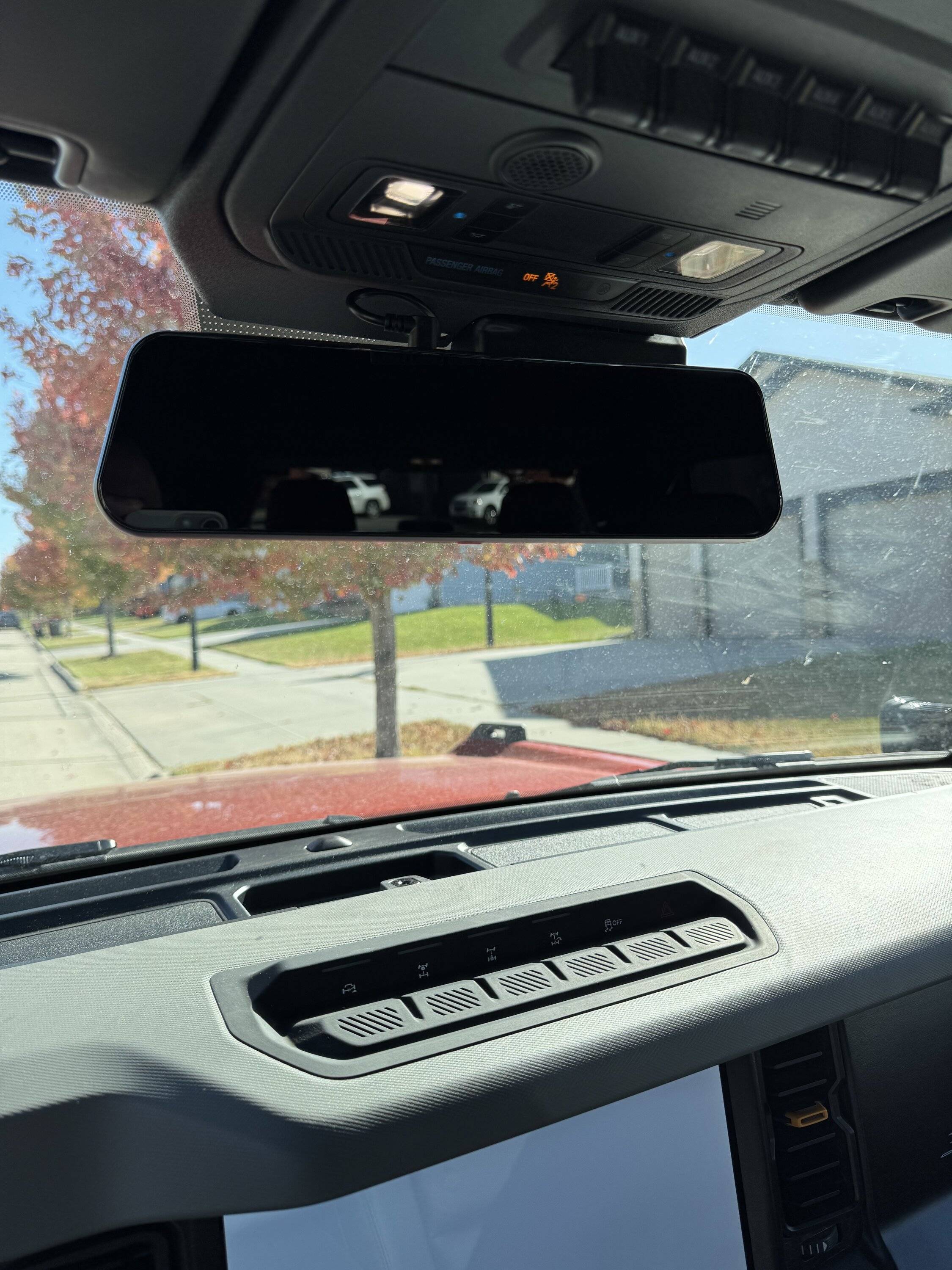
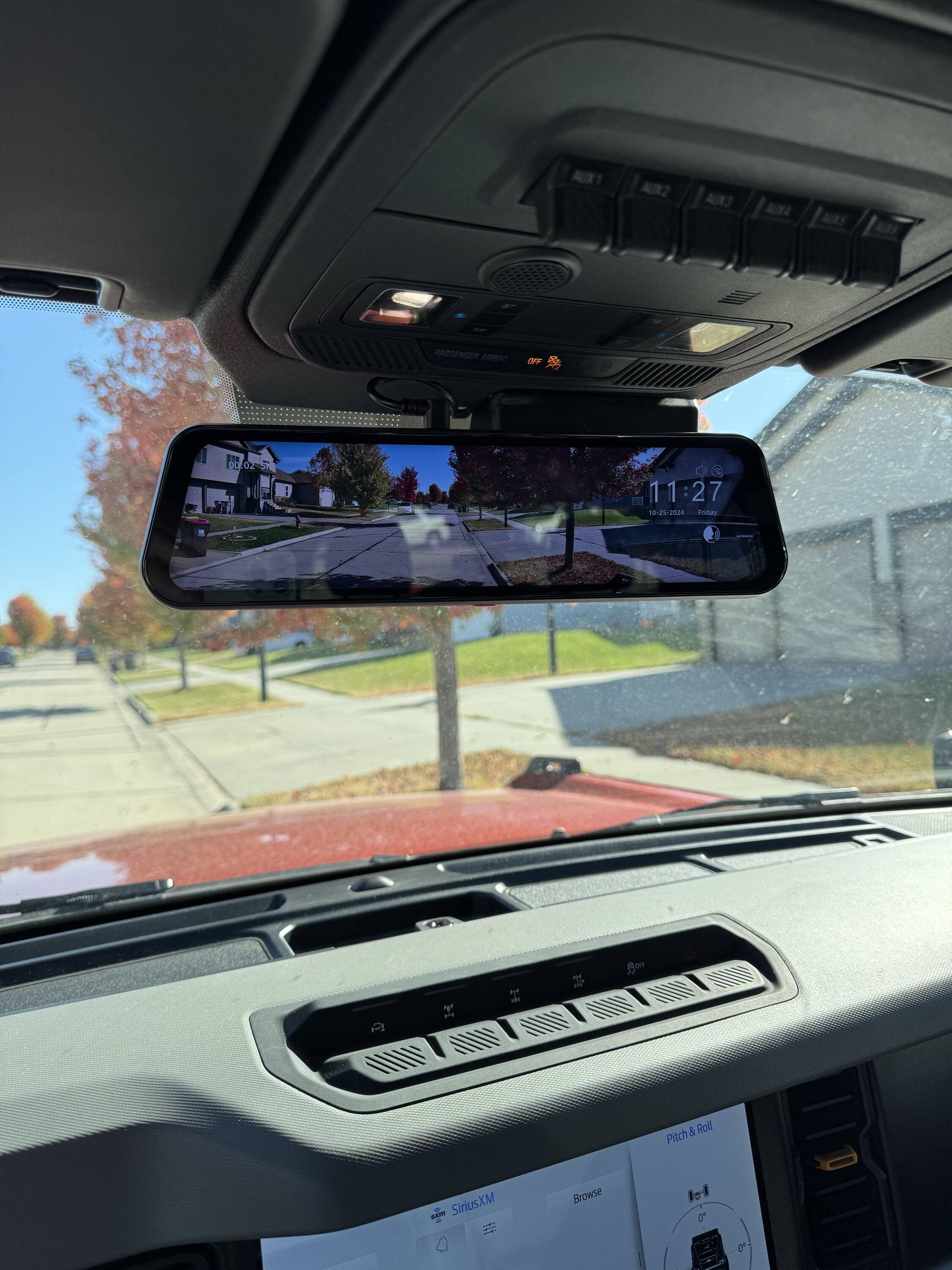
I got the mirror / dashcam and the 'rear' camera of the Wolfbox G900 Pro dash cam installed the other day. I installed the 'rear' / 'backup' camera as a front trail camera.
The camera comes with everything you need to get the install completed including all the required wiring and brackets.
Here is a link to the dash camera system:
https://wolfbox.com/products/wolfbo...dash-cam-smart-mirror-with-starvis-678-sensor
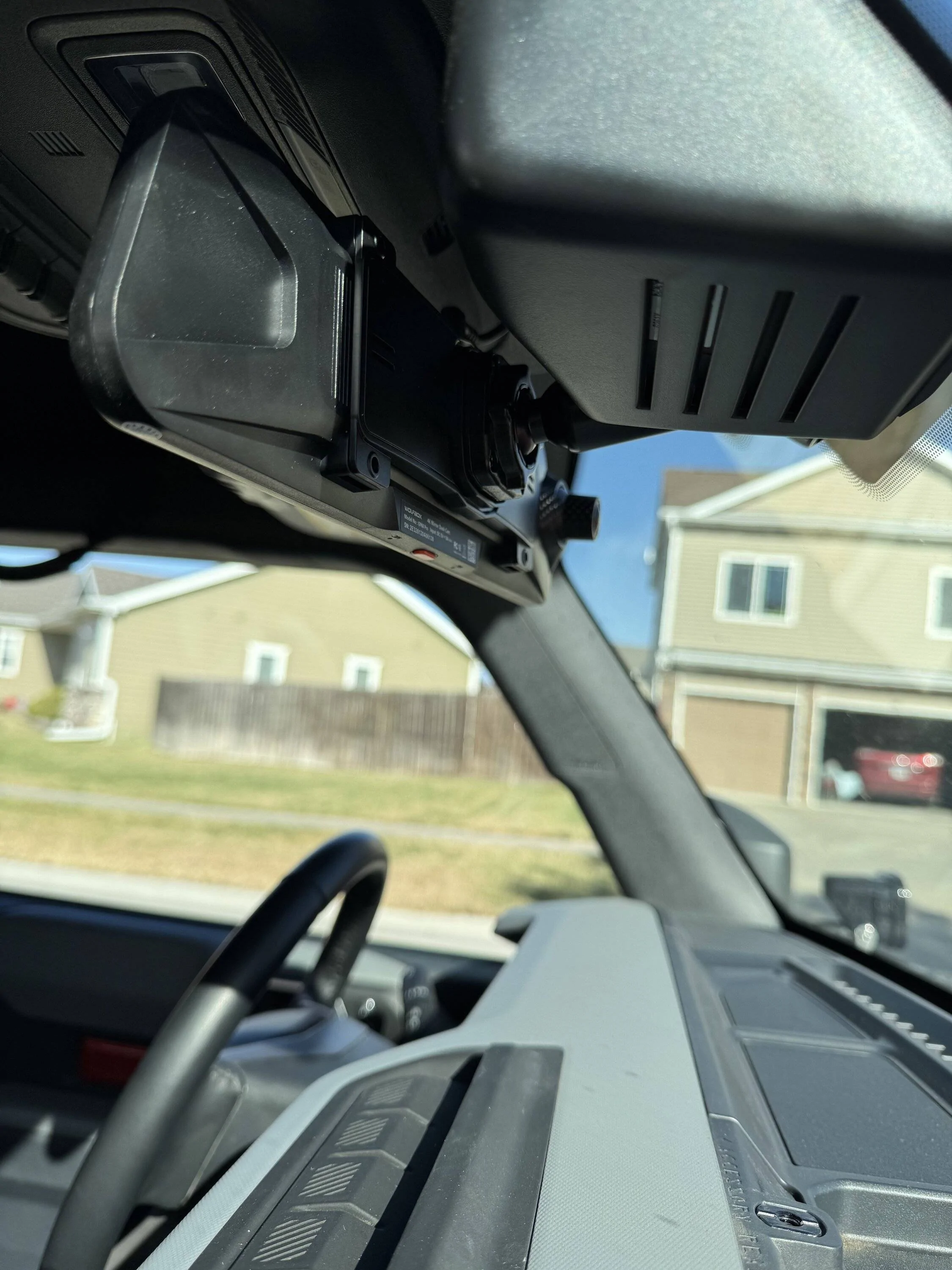
I also ordered a factory style rearview mirror mounting bracket for the Bronco. It can be seen here. If you order this, you need to choose FIT 1 for the Bronco.
https://wolfbox.com/products/wolfbox-oem-bracket-for-mirror-dash-cam-1?variant=47694764540193
The install was very easy and I ran the wiring from the mirror / dash camera down to the interior fusebox. Installing the mirror / dashcam took about 45 minutes and installing the 'rear' camera as a trail camera took me about 1 hour.
When wiring the system, you have a few options to consider.
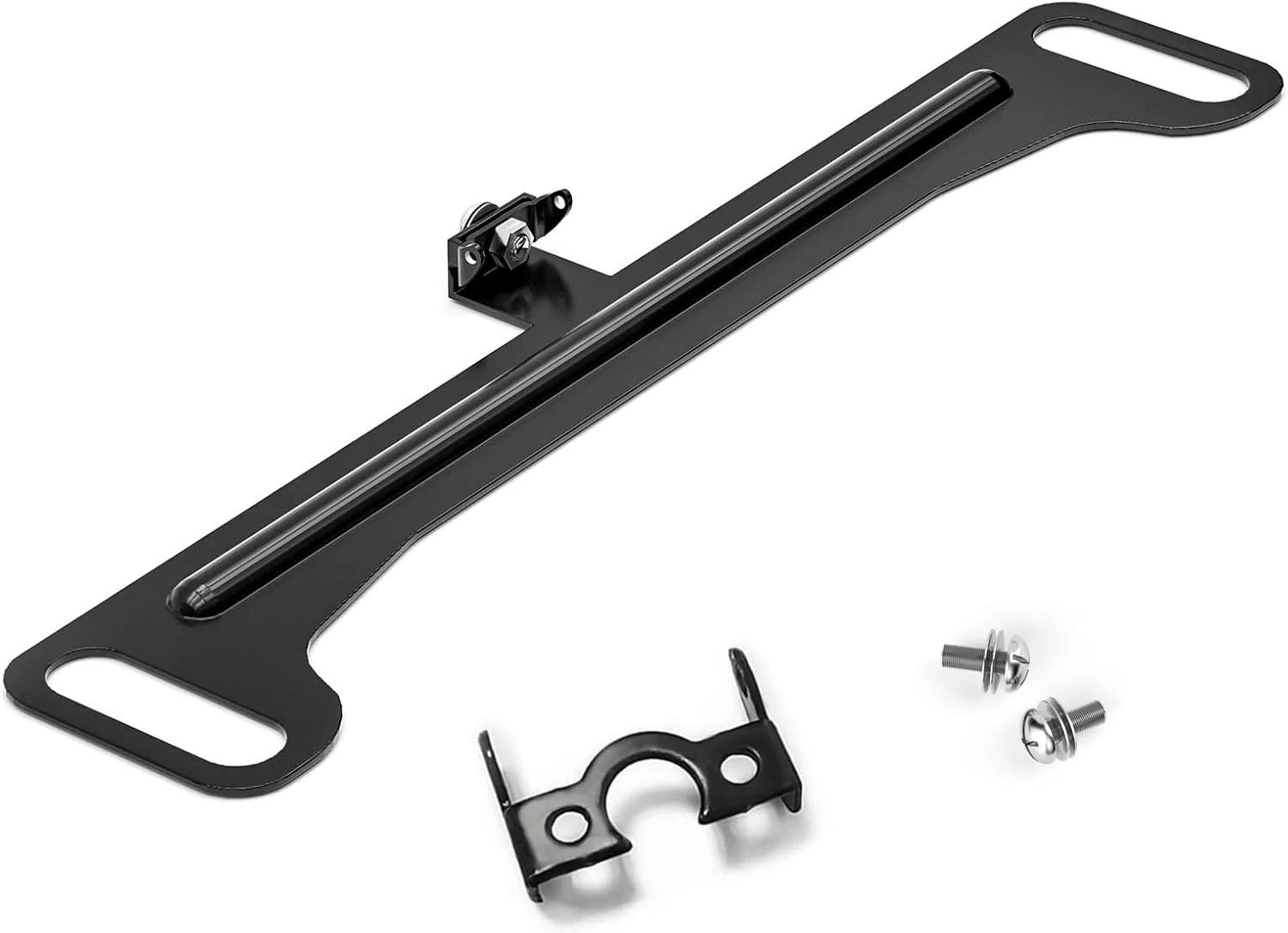
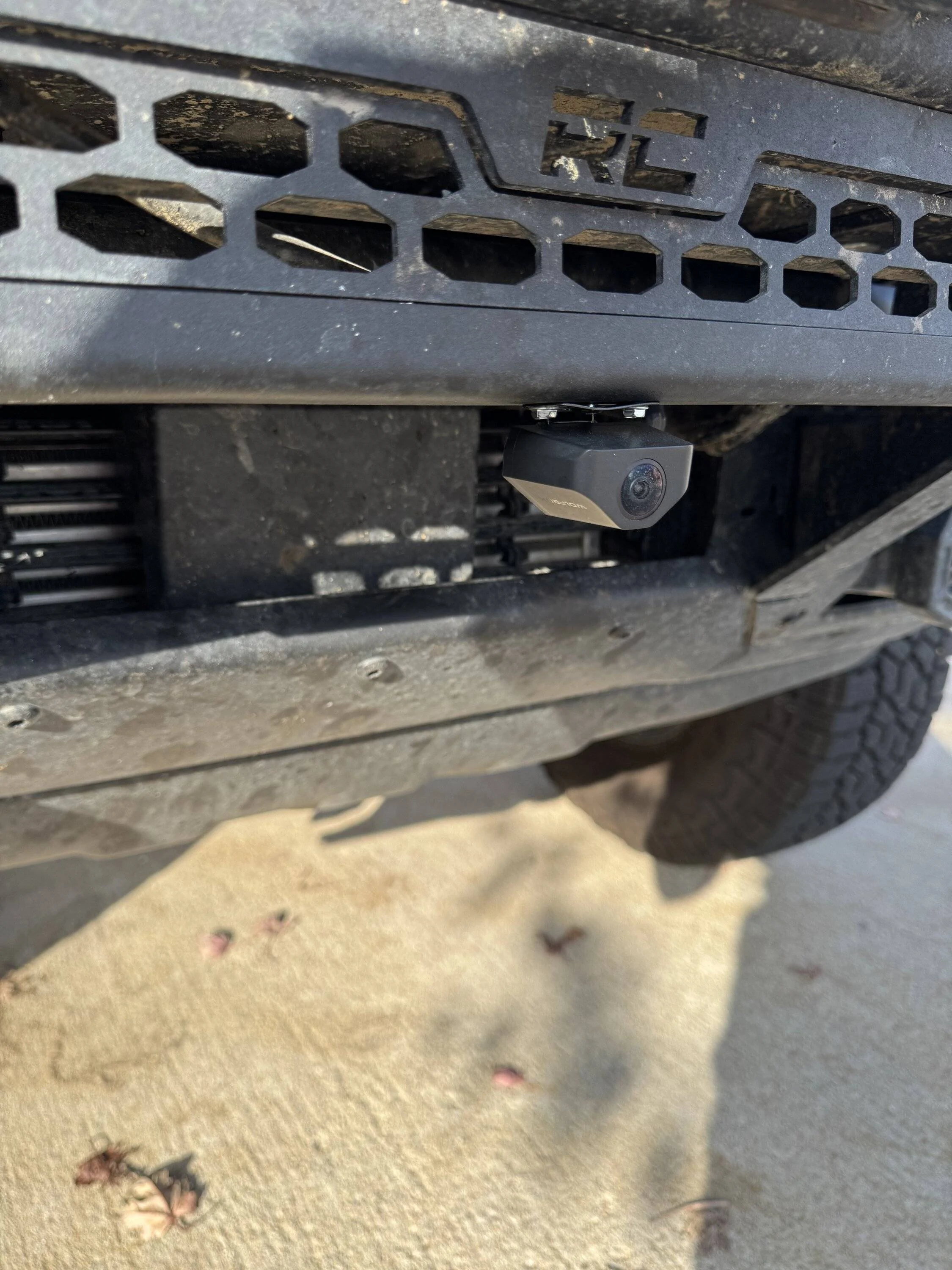
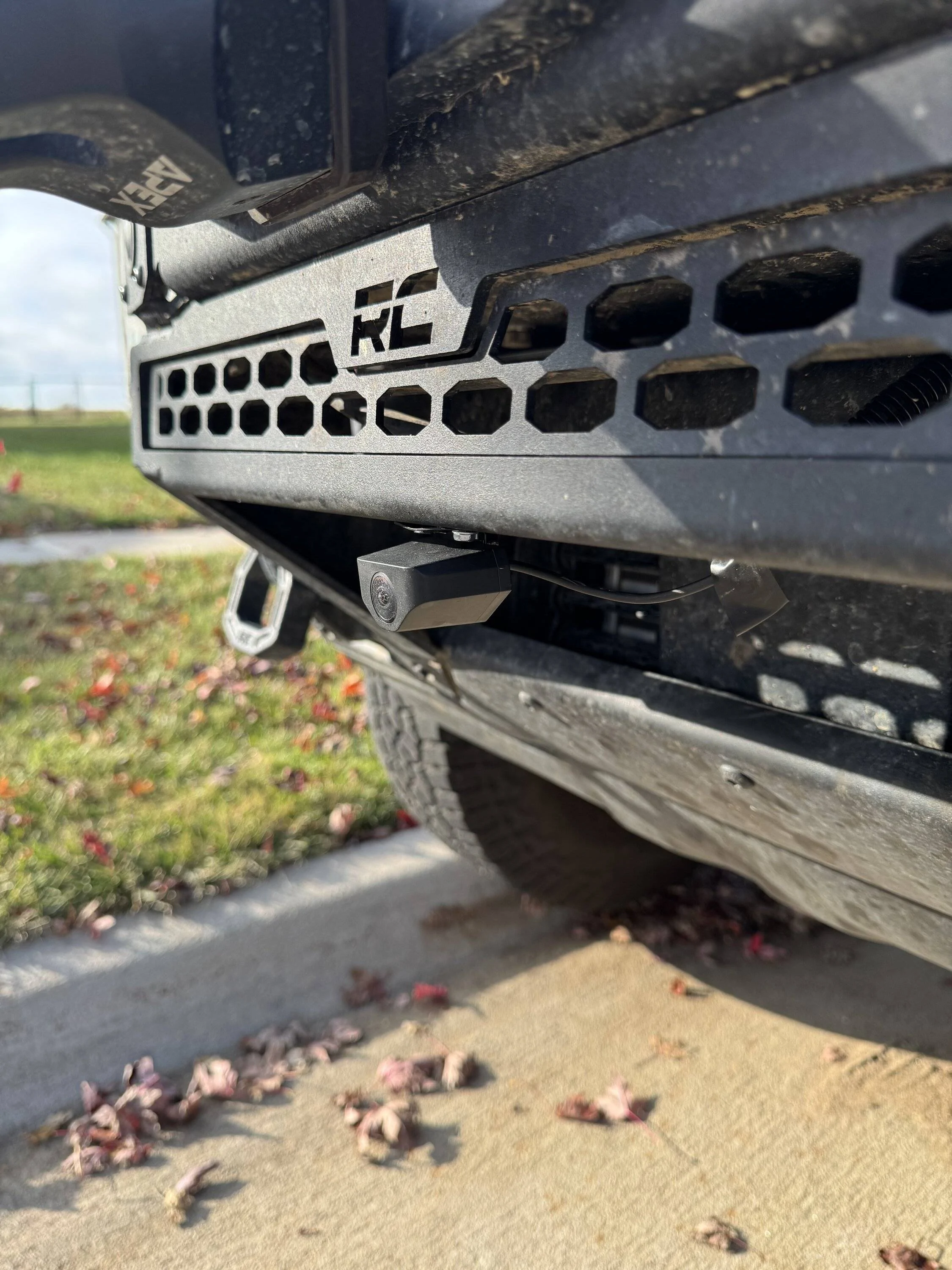
I was limited on the placement of the 'rear' camera as a front trail camera due to my winch and winch mounting plate. This was the best spot I could find for it. It's, for the most part, tucked up close to the front bumper but I can see where if someone does extreme rock crawling, where they are bashing and scraping the front bumper, that the placement could be an issue. I am not an extreme rock crawler and have no plans to be one..
The camera quality is stellar. Not sure if the videos I will link below show the true quality of them as they will be compressed but both camera offers clear and crisp views.
I need to adjust the front dash cam to show less of the hood and I might need to adjust the front trail camera downward a little. I won't really know on the front trail camera angle until I get off road with it and test the angle of it on trails.
The system is voice controlled and you can say things like "Show Front Camera" and it will show video from the front camera on the rearview mirror. When I want to see the front trail camera I say " Show Rear Camera" and it's shows the front trail cameras video on the rearview mirrors screen.
There are a ton of settings and options you can change via the rearview mirror menu system. It came with a 128GB SD card and connects via wifi to download video clips. It also came with a GPS puck that can be installed if you want location and speed displayed but I did not install it as I do not need nor want that information..
I think this setup will do great for recording off-road adventures. I can capture off-roading on trails and not only record the front trails camera action, but use this front trail camera to see helpful views when cresting hills etc..
Here are 2 short videos showing footage from both cameras along with a few images of the dash camera and on where I mounted the 'rear camera' as a front trial camera.
.

G900 Pro Front DashCam Video
G900 Pro 'Rear / 'Backup' Camera - used as a Front Trail Camera
Photos and video samples provided at the end of this post.
I got the mirror / dashcam and the 'rear' camera of the Wolfbox G900 Pro dash cam installed the other day. I installed the 'rear' / 'backup' camera as a front trail camera.
The camera comes with everything you need to get the install completed including all the required wiring and brackets.
Here is a link to the dash camera system:
https://wolfbox.com/products/wolfbo...dash-cam-smart-mirror-with-starvis-678-sensor
I also ordered a factory style rearview mirror mounting bracket for the Bronco. It can be seen here. If you order this, you need to choose FIT 1 for the Bronco.
https://wolfbox.com/products/wolfbox-oem-bracket-for-mirror-dash-cam-1?variant=47694764540193
The install was very easy and I ran the wiring from the mirror / dash camera down to the interior fusebox. Installing the mirror / dashcam took about 45 minutes and installing the 'rear' camera as a trail camera took me about 1 hour.
When wiring the system, you have a few options to consider.
- The Wolfbox has a parking mode where you'd need to wire it to be constantly on. The G9000 Pro has battery protection to protect the battery from draining when using parking mode.
- I wired to ignition on only as I will not use parking mode.
I was limited on the placement of the 'rear' camera as a front trail camera due to my winch and winch mounting plate. This was the best spot I could find for it. It's, for the most part, tucked up close to the front bumper but I can see where if someone does extreme rock crawling, where they are bashing and scraping the front bumper, that the placement could be an issue. I am not an extreme rock crawler and have no plans to be one..
The camera quality is stellar. Not sure if the videos I will link below show the true quality of them as they will be compressed but both camera offers clear and crisp views.
I need to adjust the front dash cam to show less of the hood and I might need to adjust the front trail camera downward a little. I won't really know on the front trail camera angle until I get off road with it and test the angle of it on trails.
The system is voice controlled and you can say things like "Show Front Camera" and it will show video from the front camera on the rearview mirror. When I want to see the front trail camera I say " Show Rear Camera" and it's shows the front trail cameras video on the rearview mirrors screen.
There are a ton of settings and options you can change via the rearview mirror menu system. It came with a 128GB SD card and connects via wifi to download video clips. It also came with a GPS puck that can be installed if you want location and speed displayed but I did not install it as I do not need nor want that information..
I think this setup will do great for recording off-road adventures. I can capture off-roading on trails and not only record the front trails camera action, but use this front trail camera to see helpful views when cresting hills etc..
Here are 2 short videos showing footage from both cameras along with a few images of the dash camera and on where I mounted the 'rear camera' as a front trial camera.
.
G900 Pro Front DashCam Video
G900 Pro 'Rear / 'Backup' Camera - used as a Front Trail Camera
Sponsored