
- First Name
- George
- Joined
- Jan 17, 2025
- Threads
- 19
- Messages
- 805
- Reaction score
- 1,218
- Location
- Metro Detroit
- Vehicle(s)
- 2024 Bronco Wildtrak, Cadillac CTS-V Coupe, Roush Stage 3 Mustang convertible
- Your Bronco Model
- Wildtrak
- Thread starter
- #1
Well after overcoming my PTSD from a past experience trying to make updates to my vehicle, I decided to download Forscan to add the Rock Crawling Goat Mode to my '24 WildTrak.
All went well with that and even updated to the 2025 theme for the infotainment screen.
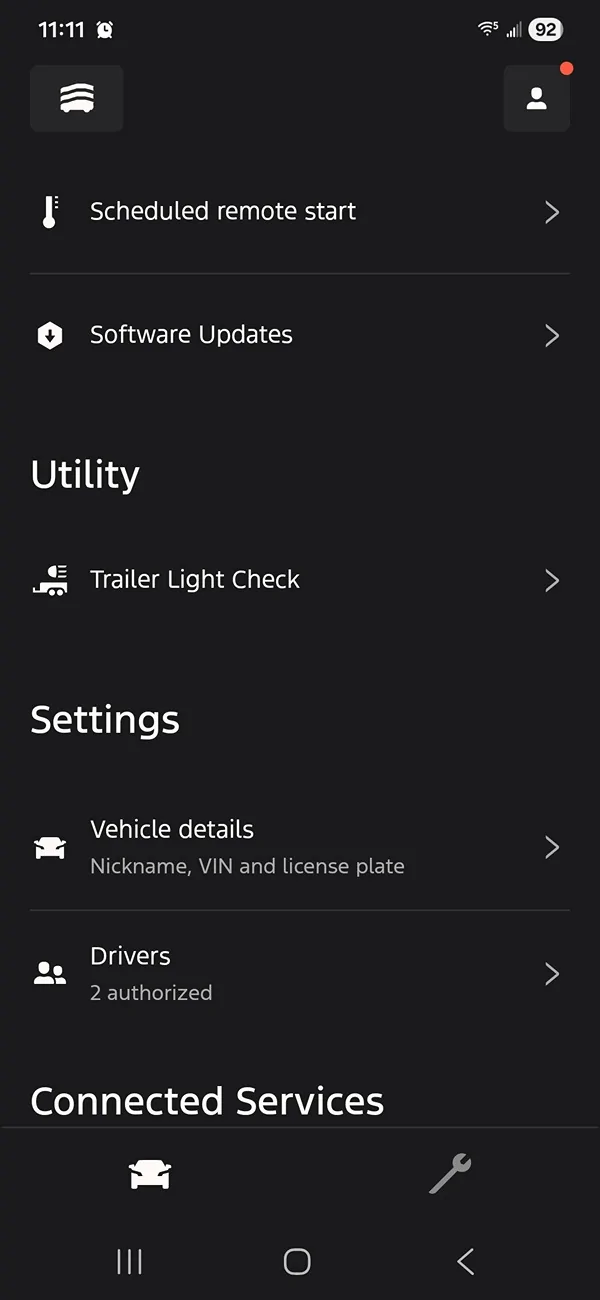
As for the topic aforementioned title, there was a thread on the topic, and I remember people saying that the feature was in the Trailer Options Menu, however it was not on my Bronco. My trailer hitch was installed and programmed by the dealer, but I was only able to use the light check through the Ford Pass app. All the other features worked such as the vehicle recognizing that a trailer was attached and turning off the parking and cross traffic sensors.
While I was in there I decided to see if that option was in Forscan. Sure enough it was, but it was turned off. Apparently, the dealership neglected to turn that feature on when programming the module. After checking the box and restarting the truck, sure enough the feature is now visible in the Trailer Options menu.
Thought I would post that here in the event someone else is in the same situation. My small contribution for all the helpful information I have gotten from this place over this past year of ownership.
As a footnote on my "PTSD" comment that I mentioned above. Several years ago, based on reading some posts on a CTS-V forum, I decided to see of there were any updates for my Cadillac CTS-V. So, I ended up purchasing the GM tech tool and subscribed to the GM website. Sure enough, there were several updates available, and I proceeded to download every one I could find and went through with the updates.
To my horror, when I started the car, the dash lit up like a Christmas Tree. Every single warning light was on and there had to be close to 30 DTCs stored.
Service Parking brake
Service Suspension
Service Traction Control
Service ABS
Service Gauge cluster
Service Radio
DTCs for the doors, locks and windows
Service Adaptive Headlights
Just to name a few.
My heart sank and I thought to myself, "I just bricked my car" and envisioned the embarrassment of having to take it to the dealer and being the butt of a lot of jokes starting from the service advisor to all the way to the techs.
I took a breath and went through the menus and saw an option to initialize the modules. So, I proceeded to go down the list of modules and initialized each one and cleared the DTCs.. It took me a couple of hours and to my relief, when I went back and started the car, no warning lights and no DTCs.
I then packaged up that GM Tech tool, and it has sat buried in the back of a cabinet in my garage ever since.
Hence my apprehension of attempting to use Forscan, but it turned out to be much easier than I thought, however this time I made sure to only stick to what I knew to do and didn't go and mess around with anything else.
All went well with that and even updated to the 2025 theme for the infotainment screen.
As for the topic aforementioned title, there was a thread on the topic, and I remember people saying that the feature was in the Trailer Options Menu, however it was not on my Bronco. My trailer hitch was installed and programmed by the dealer, but I was only able to use the light check through the Ford Pass app. All the other features worked such as the vehicle recognizing that a trailer was attached and turning off the parking and cross traffic sensors.
While I was in there I decided to see if that option was in Forscan. Sure enough it was, but it was turned off. Apparently, the dealership neglected to turn that feature on when programming the module. After checking the box and restarting the truck, sure enough the feature is now visible in the Trailer Options menu.
Thought I would post that here in the event someone else is in the same situation. My small contribution for all the helpful information I have gotten from this place over this past year of ownership.
As a footnote on my "PTSD" comment that I mentioned above. Several years ago, based on reading some posts on a CTS-V forum, I decided to see of there were any updates for my Cadillac CTS-V. So, I ended up purchasing the GM tech tool and subscribed to the GM website. Sure enough, there were several updates available, and I proceeded to download every one I could find and went through with the updates.
To my horror, when I started the car, the dash lit up like a Christmas Tree. Every single warning light was on and there had to be close to 30 DTCs stored.
Service Parking brake
Service Suspension
Service Traction Control
Service ABS
Service Gauge cluster
Service Radio
DTCs for the doors, locks and windows
Service Adaptive Headlights
Just to name a few.
My heart sank and I thought to myself, "I just bricked my car" and envisioned the embarrassment of having to take it to the dealer and being the butt of a lot of jokes starting from the service advisor to all the way to the techs.
I took a breath and went through the menus and saw an option to initialize the modules. So, I proceeded to go down the list of modules and initialized each one and cleared the DTCs.. It took me a couple of hours and to my relief, when I went back and started the car, no warning lights and no DTCs.
I then packaged up that GM Tech tool, and it has sat buried in the back of a cabinet in my garage ever since.
Hence my apprehension of attempting to use Forscan, but it turned out to be much easier than I thought, however this time I made sure to only stick to what I knew to do and didn't go and mess around with anything else.
Sponsored