I have the latest version of Forscan and an OBD Link SX. I've tried reinstalling the program and deleting my profile. I'm still not able to see the ACM module in Forscan. Any suggestions?
Not certain if this is the issue or not, but looking at the adapter, maybe? Just mentioning since OBDLink's web page says the following: Consider purchasing OBDLink MX+ if you need access to the proprietary Ford & GM vehicle networks (Ford MS-CAN and GM SW-CAN) in addition to the standard OBD-II protocols.
It may be you need a different OBD adapter. There are a couple of different CAN buses on the ODB port, and some of them can only speak to one or the other. A few can speak to both, a few have physical switches to jump between the two, and some can only do one or the other.
I know the ODBLink MX+ will speak to both, as will the VXDiag VCX Nano. That isn't an exhaustive list, just what I've used successfully personally.
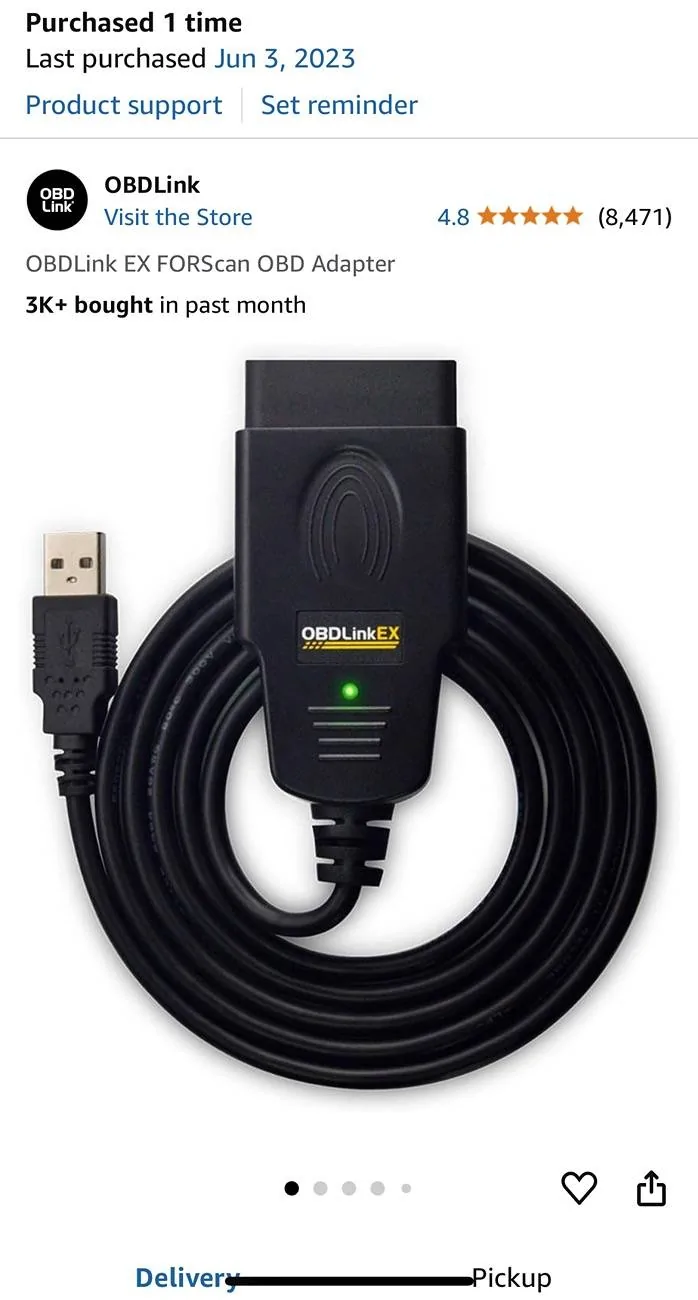
I had the same issue using someone else’s so buy this one and it will give you access to all modules. If you are trying to be fancy and go blue tooth or use an iPhone good luck because it’s more headaches.
Not certain if this is the issue or not, but looking at the adapter, maybe? Just mentioning since OBDLink's web page says the following: Consider purchasing OBDLink MX+ if you need access to the proprietary Ford & GM vehicle networks (Ford MS-CAN and GM SW-CAN) in addition to the standard OBD-II protocols.
It may be you need a different OBD adapter. There are a couple of different CAN buses on the ODB port, and some of them can only speak to one or the other. A few can speak to both, a few have physical switches to jump between the two, and some can only do one or the other.
I know the ODBLink MX+ will speak to both, as will the VXDiag VCX Nano. That isn't an exhaustive list, just what I've used successfully personally.
[
That was it. My OBD Link SX would not read all the module. Just go the EX in the mail and I'm able to see all the modules now. Thanks! Is there a more up to date spreadsheet with the code modification? The one I have doesn't seem to have a whole lot on it.
That was it. My OBD Link SX would not read all the module. Just go the EX in the mail and I'm able to see all the modules now. Thanks! Is there a more up to date spreadsheet with the code modification? The one I have doesn't seem to have a whole lot on it.
A lot - not all - but a lot of the baked in ez-mode stuff will work. Unfortunately the spreadsheet hasn’t really been kept up, but I don’t know that a lot has been added to it lately either.