

- First Name
- Tyler
- Joined
- Oct 11, 2021
- Threads
- 10
- Messages
- 248
- Reaction score
- 738
- Location
- Eagle Mountain, UT
- Vehicle(s)
- F250
- Your Bronco Model
- Base
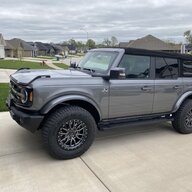
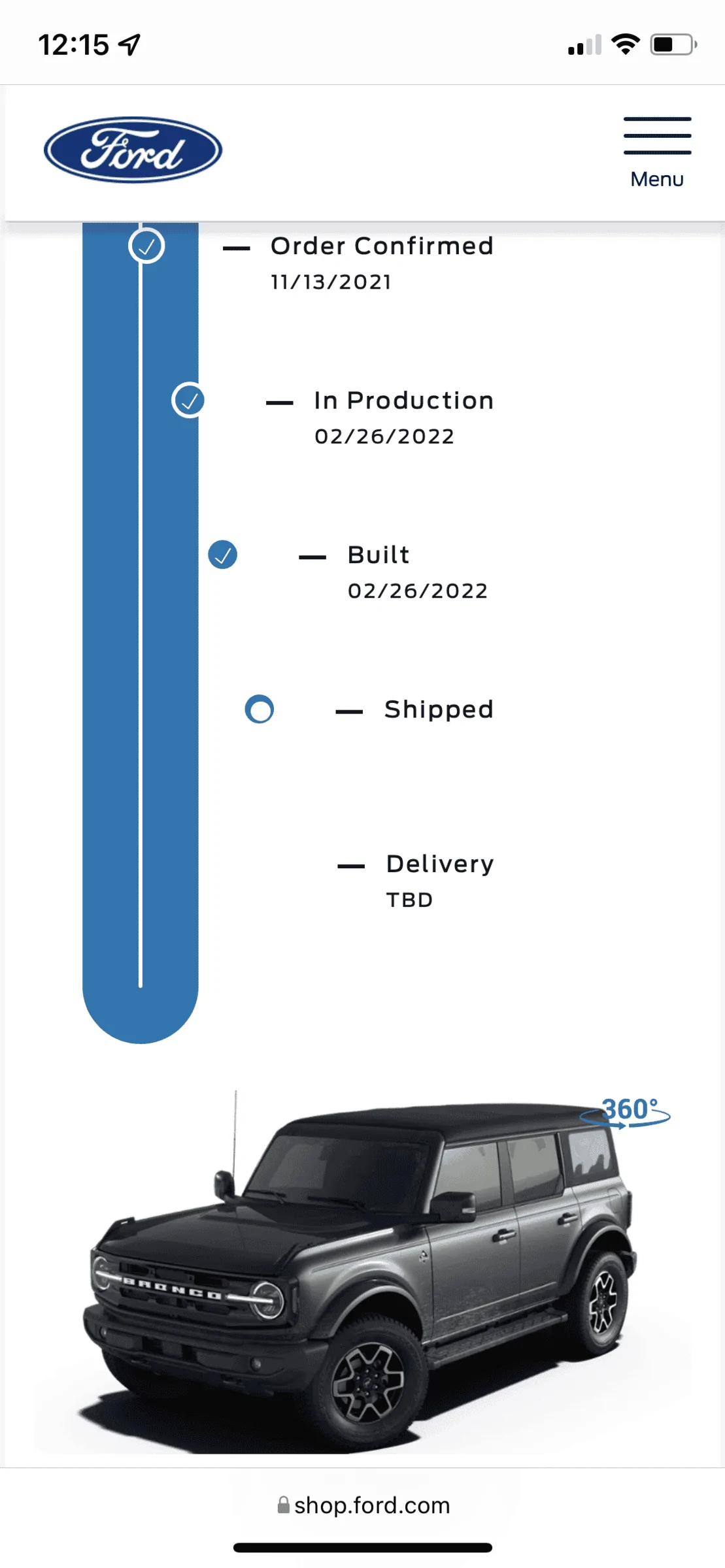
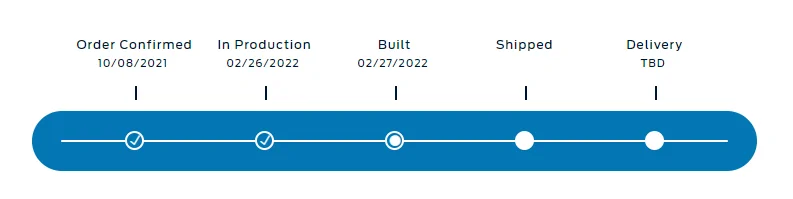
Tracker is now showing shipped with an EDD of 3/15. My build date was 2/24.
Sponsored

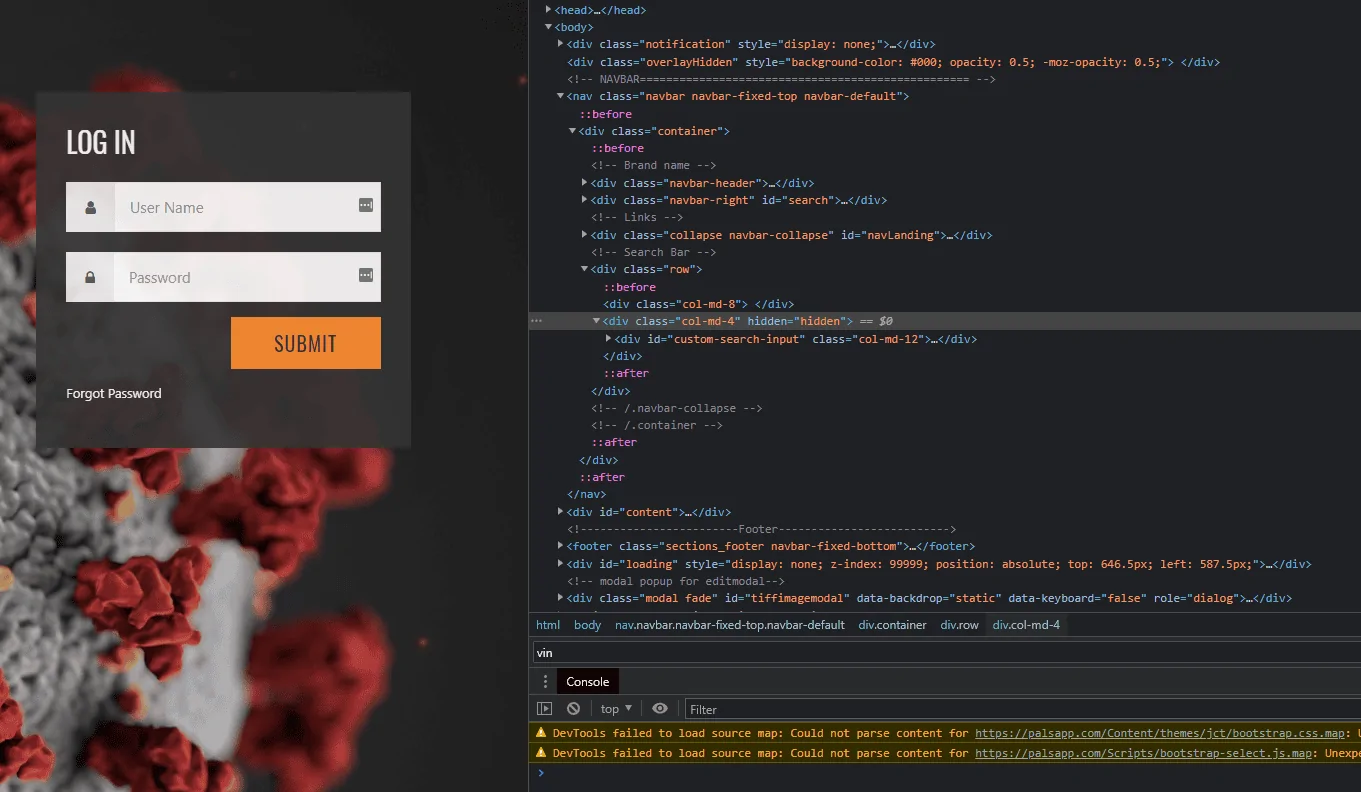
In Chrome, go to Palsapp.com, right click, pull down to inspect. Then over on the inspection side Control + F for Find (I'm on a Mac, so this may be slightly different on a PC), then type in the phrase "VIN" (no quotes). Above the highlighted/found phrase of VIN, there is a line that says something like Hidden=Hidden, click on those two "hidden" and delete them. Press enter, and the Search By VIN should reappear in the main window.How are y'all searching PALS these days without a logon?
Gracias. Poked around and couldn't find this!In Chrome, go to Palsapp.com, right click, pull down to inspect. Then over on the inspection side Control + F for Find (I'm on a Mac, so this may be slightly different on a PC), then type in the phrase "VIN" (no quotes). Above the highlighted/found phrase of VIN, there is a line that says something like Hidden=Hidden, click on those two "hidden" and delete them. Press enter, and the Search By VIN should reappear in the main window.
Don't give me too much credit--this work around originated in the 2/7 thread!Gracias. Poked around and couldn't find this!


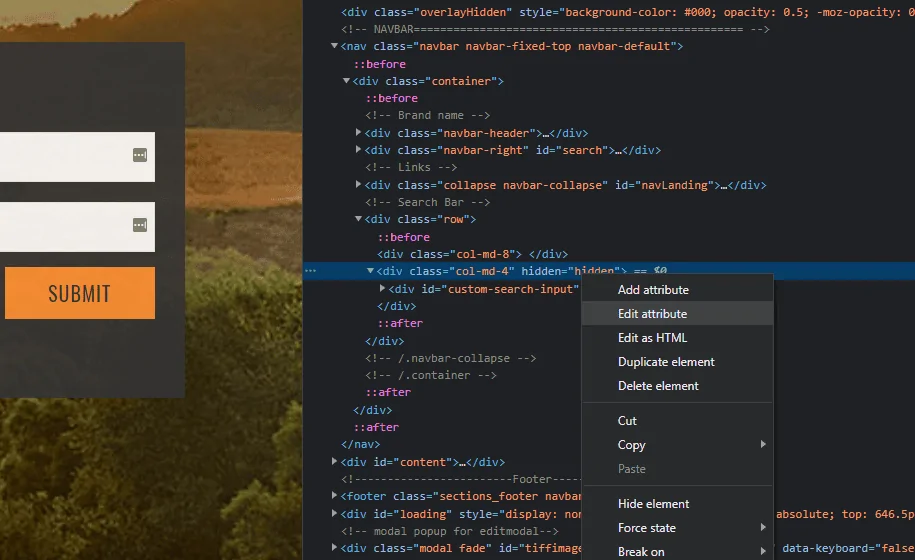
For Windows users. Either right click on the page and choose "Inspect" or just hit F12 to get into developer mode. This is using the Brave browser, but Chrome should be the same.In Chrome, go to Palsapp.com, right click, pull down to inspect. Then over on the inspection side Control + F for Find (I'm on a Mac, so this may be slightly different on a PC), then type in the phrase "VIN" (no quotes). Above the highlighted/found phrase of VIN, there is a line that says something like Hidden=Hidden, click on those two "hidden" and delete them. Press enter, and the Search By VIN should reappear in the main window.
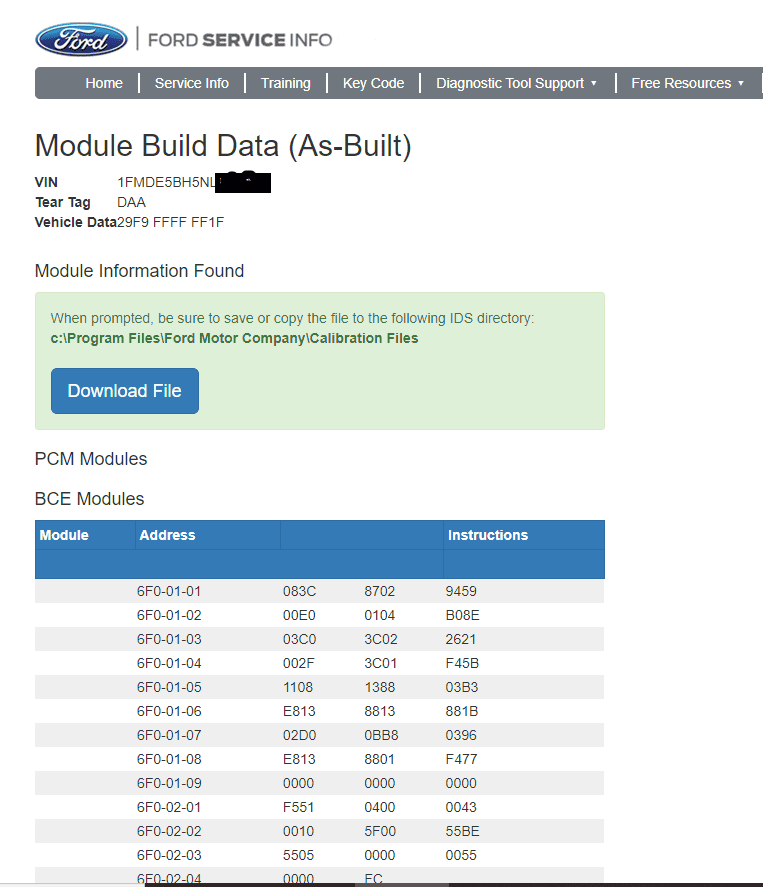
Yes, your modules have populated. This is a good sign because it means they're working on your Bronco. Some say the tear tag updating to a random 4 letter code means you have been built but that's not always the case in my experience. The pizza tracker is the Ford order tracking site you enter the order number and VIN. It shows you the blue bar with the order progress dots.Does this mean my modules have ""popped"
lol can someone help me with the lingo?
tear tag, what does 4 digit mean?
where are you guys getting the EDD from?
Pizza tracker, is this the one on your ford account? this still shows production week as 1/31 even though I got an email to 2/21 and a blend of 2/26
or is the pizza tracker the one where you enter the vin and order number?
and tracker is that the 6g one, mine does not populate anything.
You guys are awesome! Mine still shows pending, but this is great! Thank you!For Windows users. Either right click on the page and choose "Inspect" or just hit F12 to get into developer mode. This is using the Brave browser, but Chrome should be the same.

In developer mode
Right-click on the "Hidden = hidden" and select "Edit Attribute". Delete the "Hidden = Hidden" and hit Enter.

Enjoy it while it lasts. Whether or not it was at Ford's request, if they are intent on preventing us from checking our convoy status, they will likely implement a more effective solution on the back-end.You guys are awesome! Mine still shows pending, but this is great! Thank you!


What is your blend date? It will be at the top middle. Should start 2202It's weird my window sticker shows I'm number 16/177...am I looking in the right spot??? Everyone else's number is much higher

This is only for Convoy and not Rail?In Chrome, go to Palsapp.com, right click, pull down to inspect. Then over on the inspection side Control + F for Find (I'm on a Mac, so this may be slightly different on a PC), then type in the phrase "VIN" (no quotes). Above the highlighted/found phrase of VIN, there is a line that says something like Hidden=Hidden, click on those two "hidden" and delete them. Press enter, and the Search By VIN should reappear in the main window.





